
Mamaroo App and UI
Overview
The Mamaroo is a smart swing designed to soothe infants through natural motion. The project focused on enhancing both the mobile app and the on-product UI to emphasize the swing’s movement and sound features. Updates focused on creating a more intuitive control experience, clearer communication of settings, and a design prioritizing clarity and ease of use.
My role
Led updates to both the mobile app and on-product UI, designing motion graphics to reflect swing movements and iterating on layouts for motion, speed, and sound controls to create a clear and intuitive experience.
The challenge
Problem statement
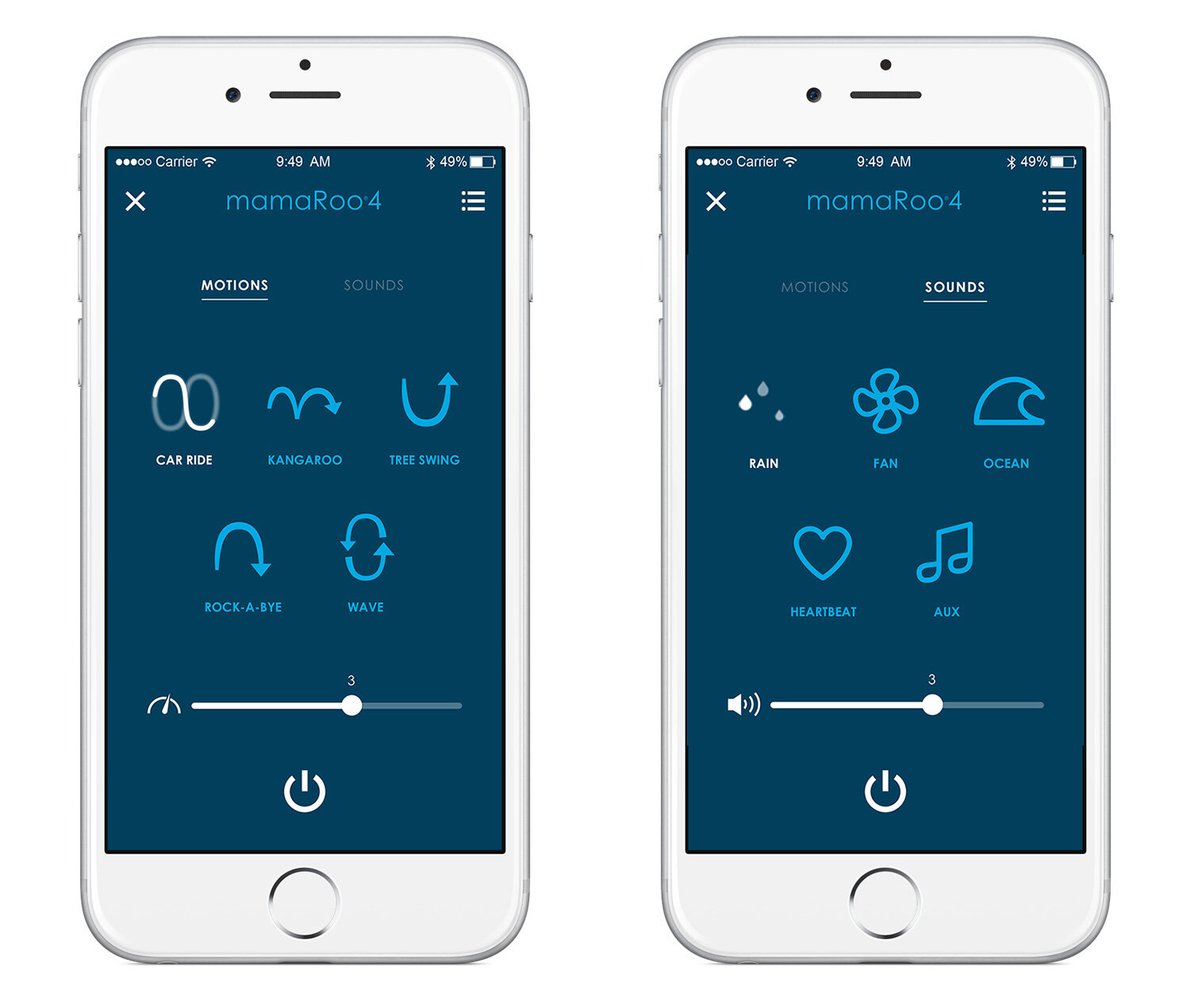
Parents need a simple and reliable way to control the Mamaroo infant seat remotely without disturbing their baby, but managing multiple motions, speeds, and sounds through a disconnected or unclear interface can create friction.
Project goals
- Enable quick adjustments of motion and speed.
- Provide easy control of sound and volume.
- Ensure reliable on/off functionality.
- Communicate current settings clearly.
- Support remote control without disturbing the baby.
Project goals
The goal was to create a cohesive annotation system that improved usability without increasing visual noise.
- Standardize visual styles for annotations and overlays
- Optimize interactions for precision and ease
- Ensure legibility across diverse imaging backgrounds
- Maintain minimal obstruction of clinical content
- Enable consistent implementation across products
App design
Design exploration
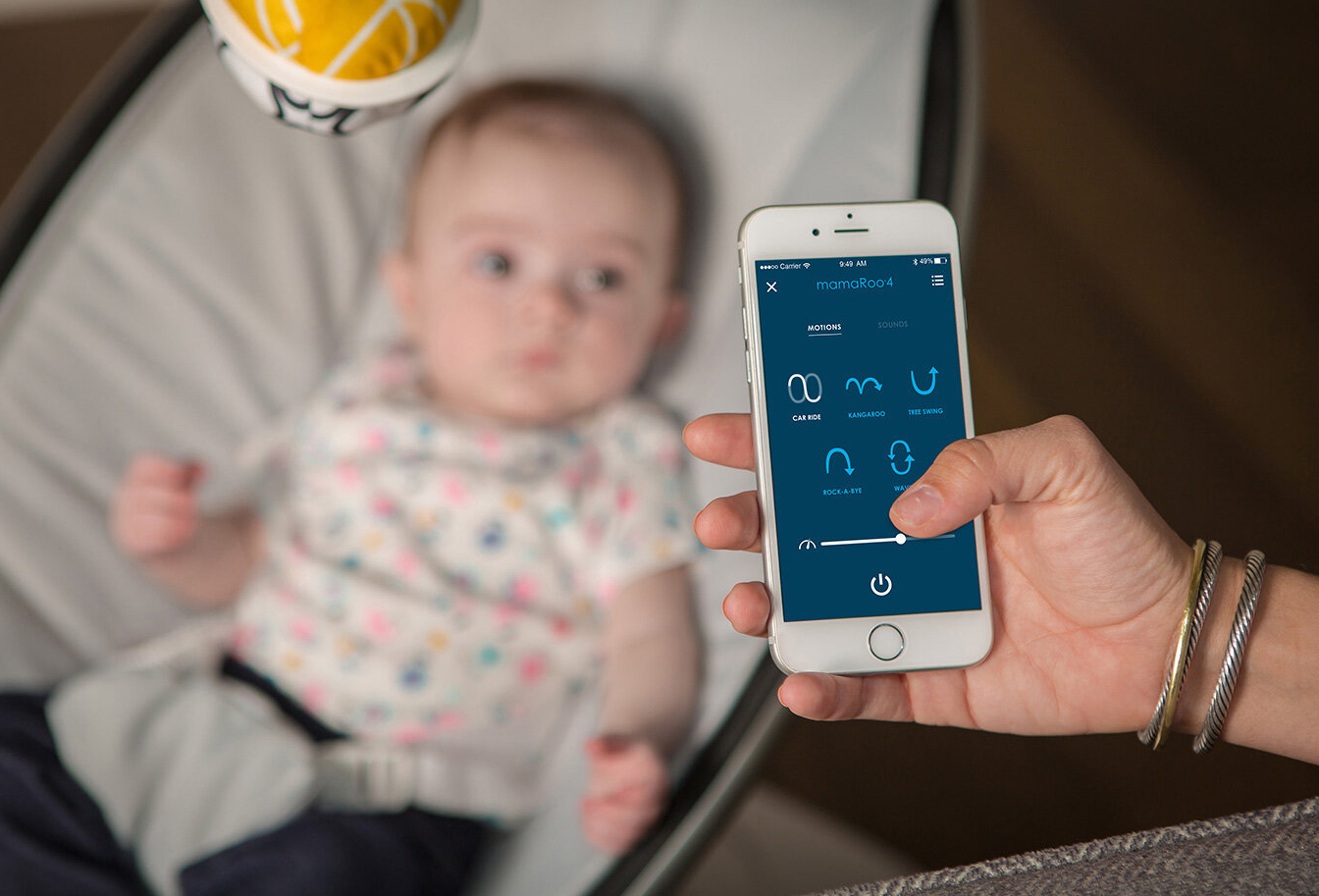
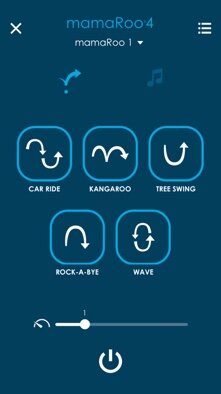
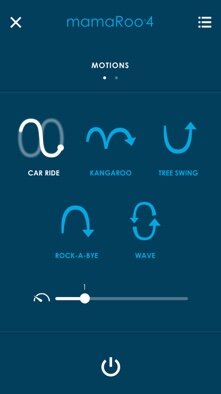
Explored multiple layout options for the motion and speed screens, focusing on clarity and ease of interaction. Evaluated different visual representations of swing motions and speed indicators to ensure parents could easily understand settings at a glance.
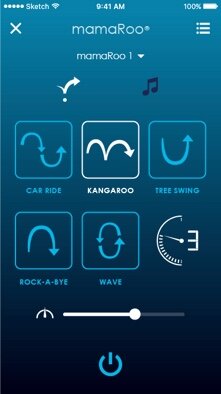
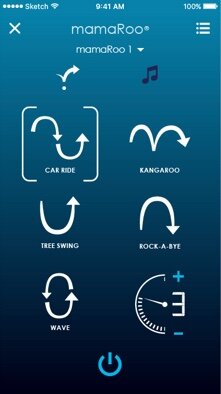
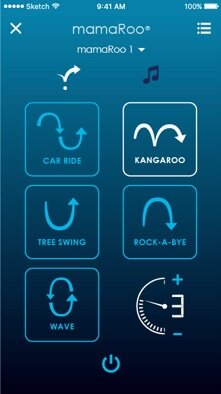
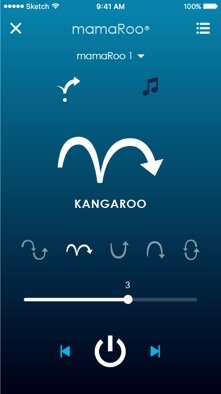
Motion graphics
Created motion animations to mimic the physical swing’s movements. These visuals are used to indicate the current motion selected in real time.

Final design
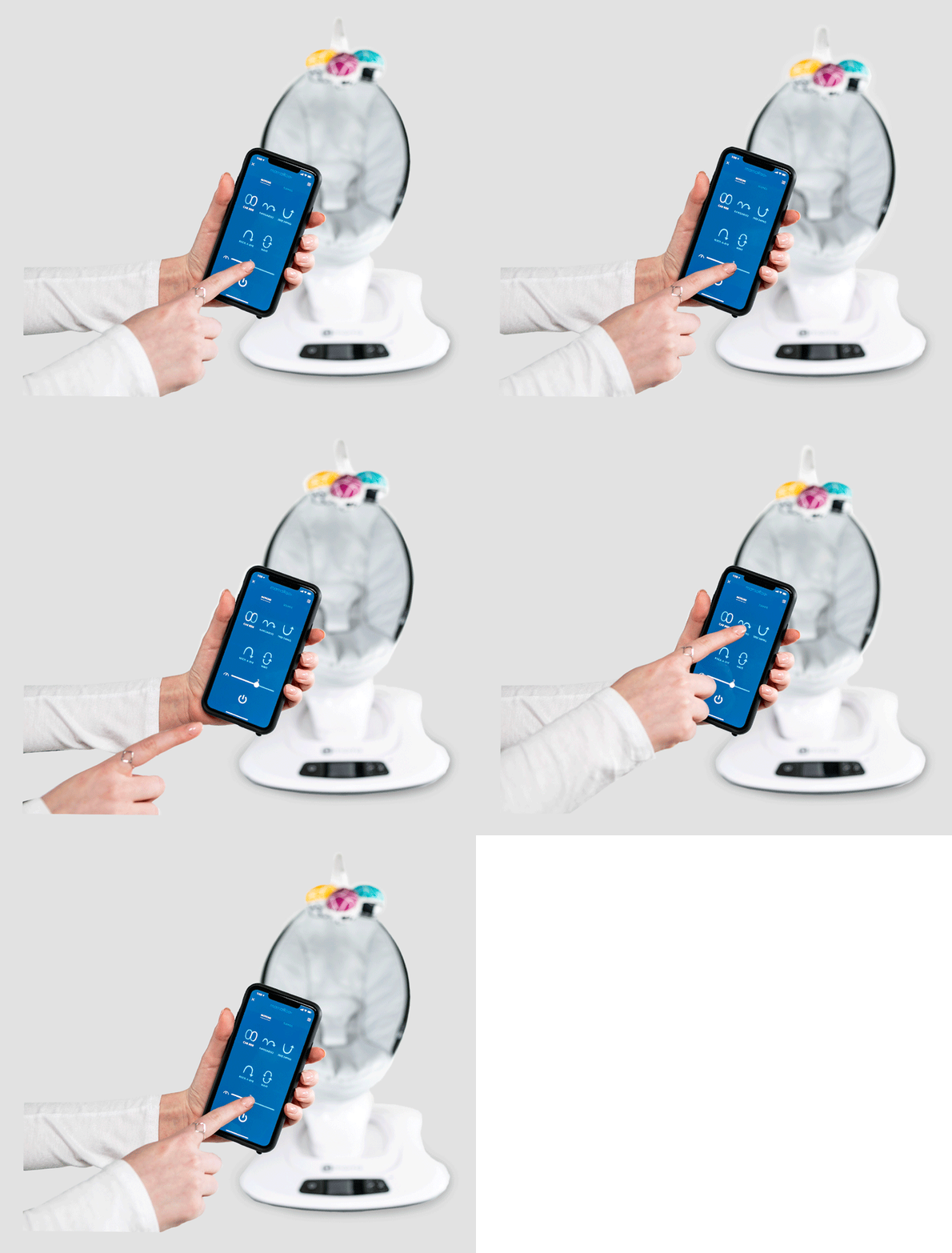
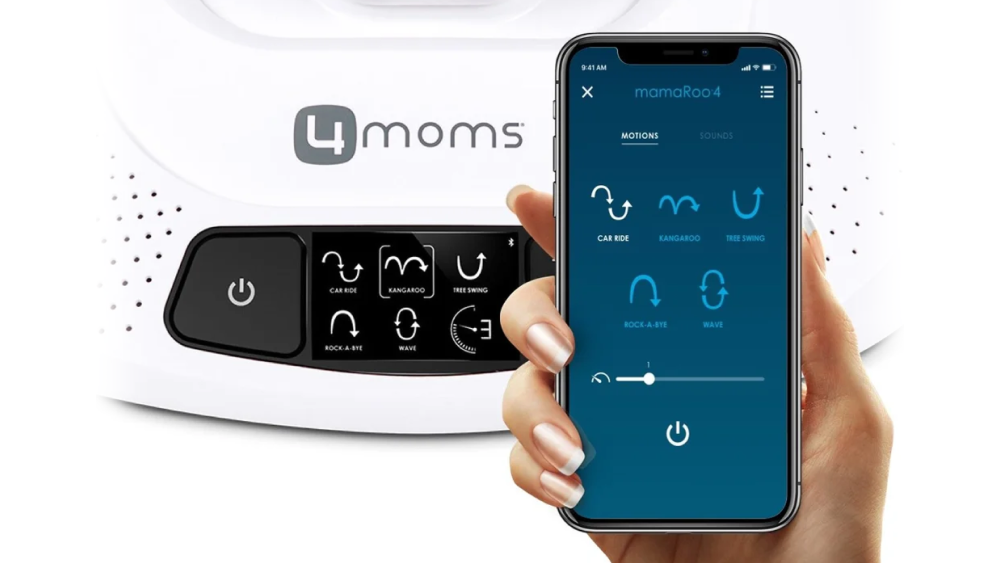
Large, easy-to-tap graphics, a clean layout that removes unnecessary clutter, and simple swipe interactions for changing motions and sounds.
On-product UI
Design exploration
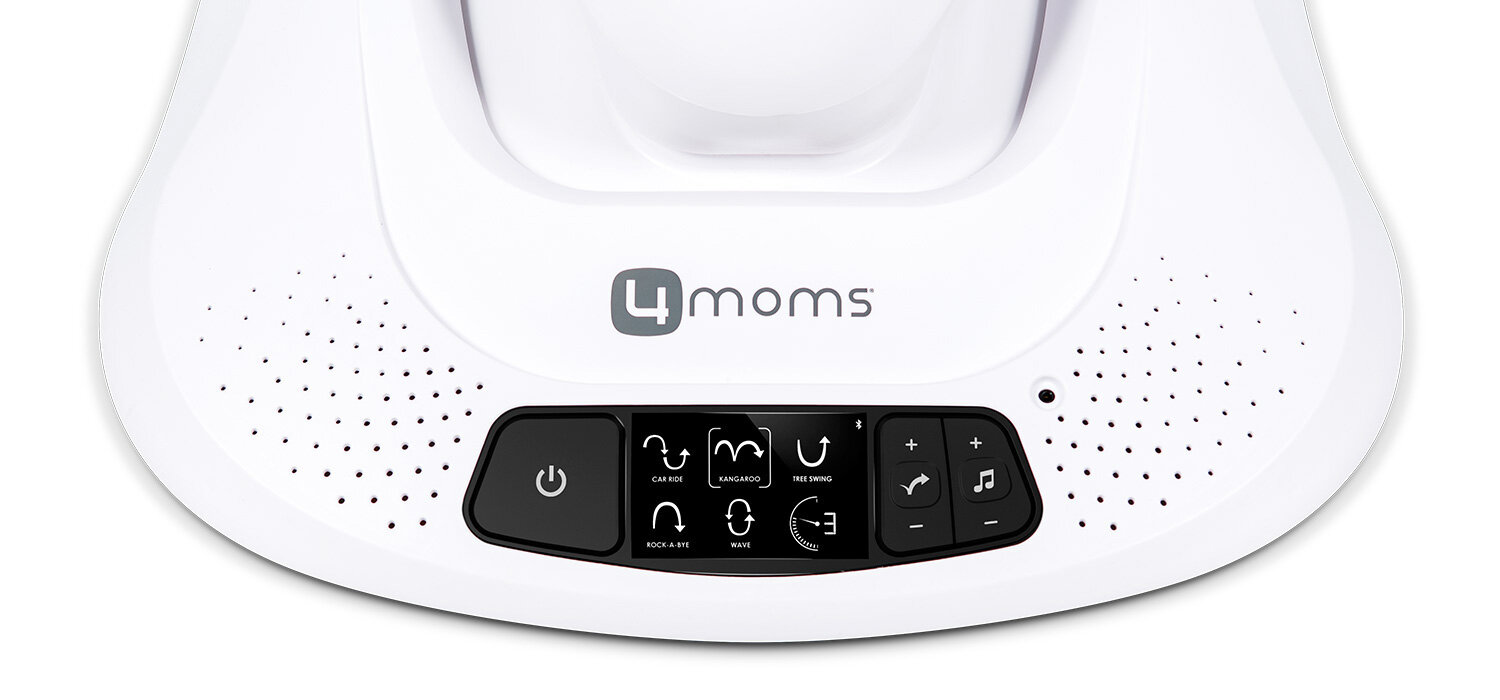
On-product UI design exploration focused on improving clarity of motion and sound controls, adapting layouts to the swing’s backlit LCD display and constraints such as screen size and color.
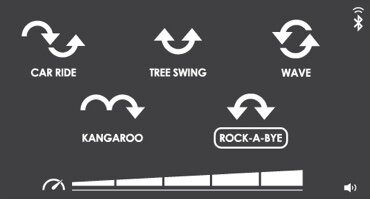
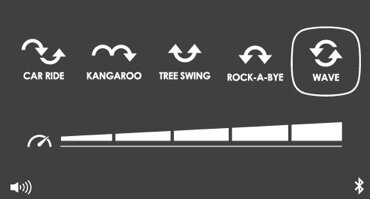
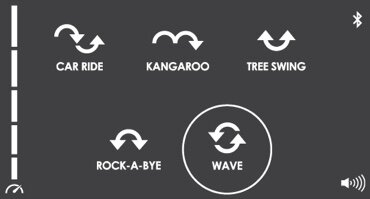
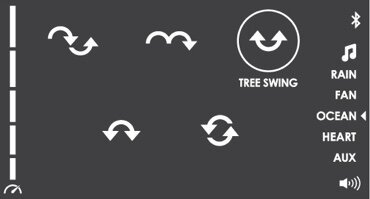
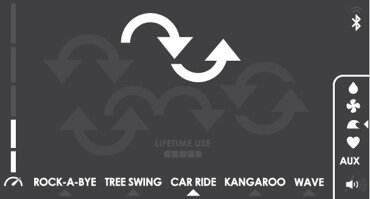
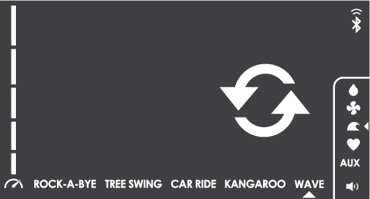
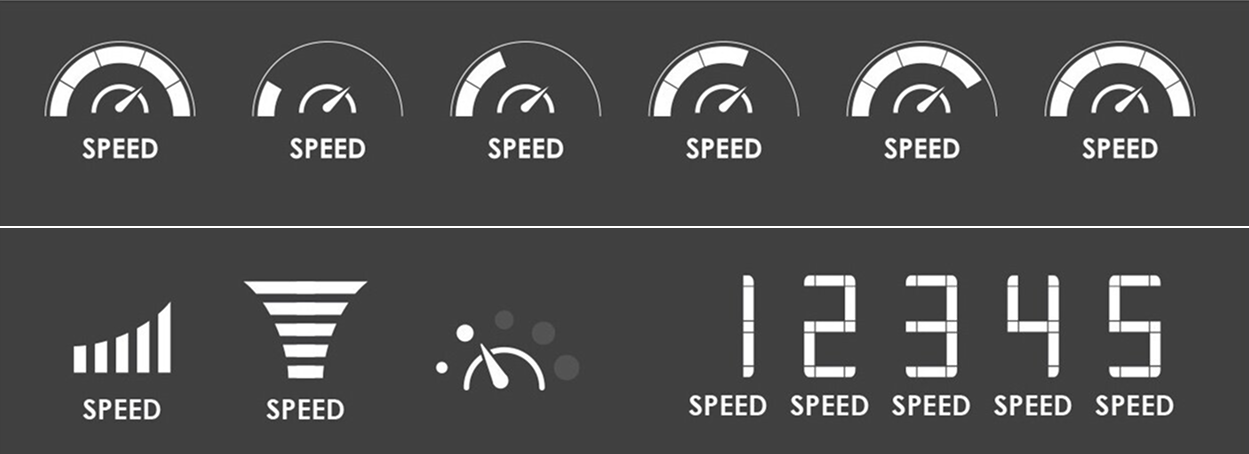
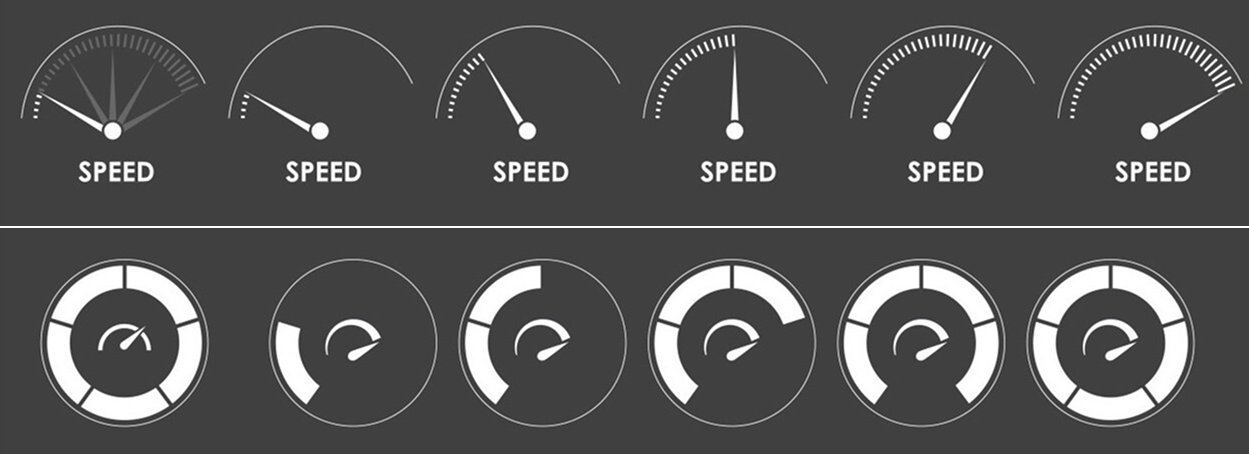
Tested multiple visual indicators for current speed settings to improve readability and user understanding on the on-product UI.
Final design
Large, legible graphics are visible from across the room, paired with prominent physical buttons that can be operated even with a toe, so parents don’t have to bend down to adjust settings.
Solution
A cohesive design for both the mobile app and on-product UI ensured parents could quickly and confidently manage motion, speed, and sound settings without disturbing their baby.
Impact

Ease of use
Easily adjust motion, speed, and sound with intuitive controls.

Clarity
Large, simple graphics show current settings at a glance.

Convenience
Control the swing remotely without disturbing the baby.