
Radiology Worklist Redesign
Overview
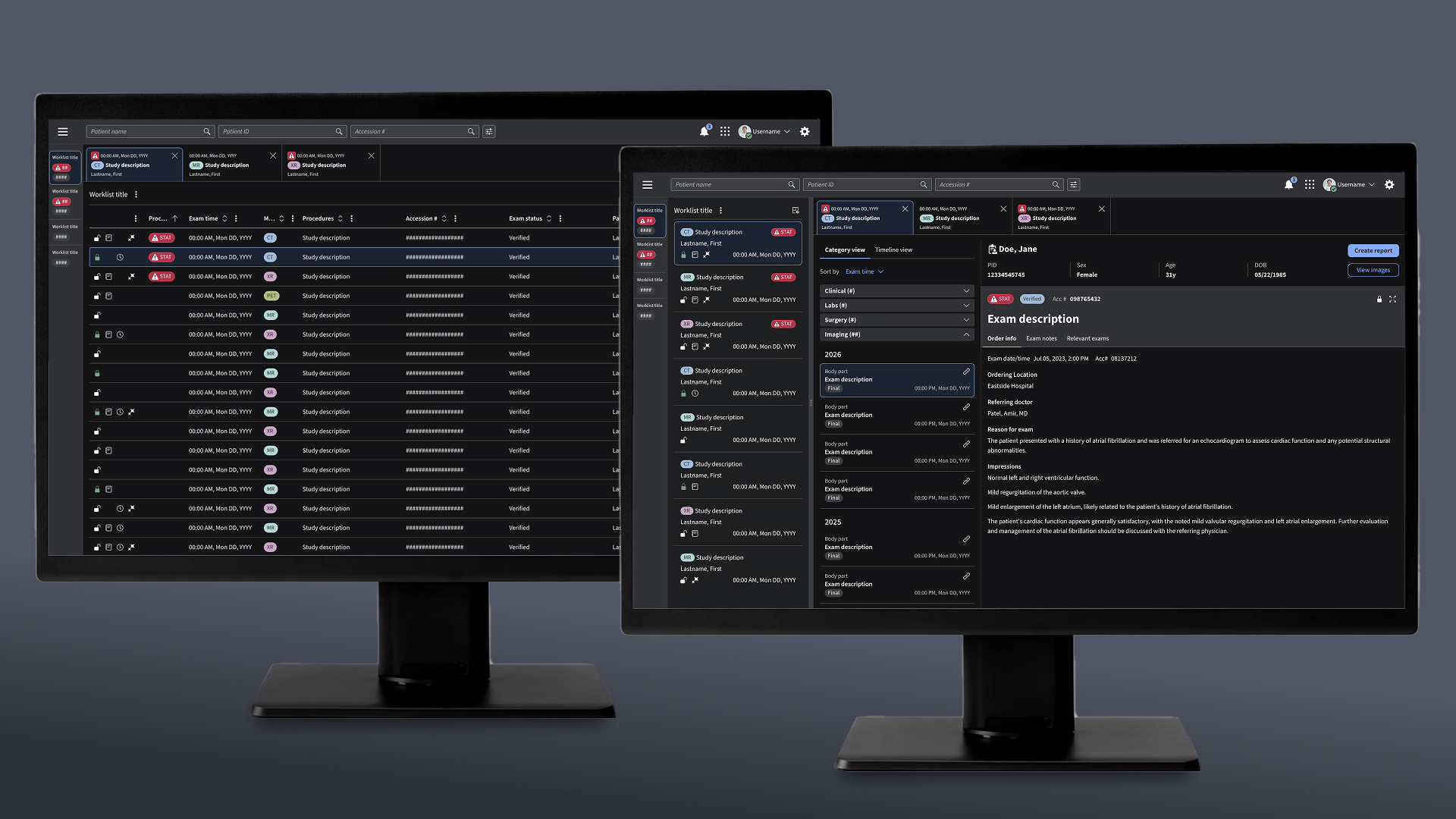
This application helps radiologists manage imaging studies, review patient information, and launch diagnostic viewing and reporting tools. I led a year-long redesign that addressed longstanding usability issues, introduced an enterprise design system, and supported the product’s first FDA clearance.
My role
As Lead UX Designer, I partnered with product, engineering, research, regulatory, clinical users, and the enterprise design system team. I led the worklist redesign, designed the patient merge workflow, and supported formative and summative usability testing.
The challenge
Problem statement
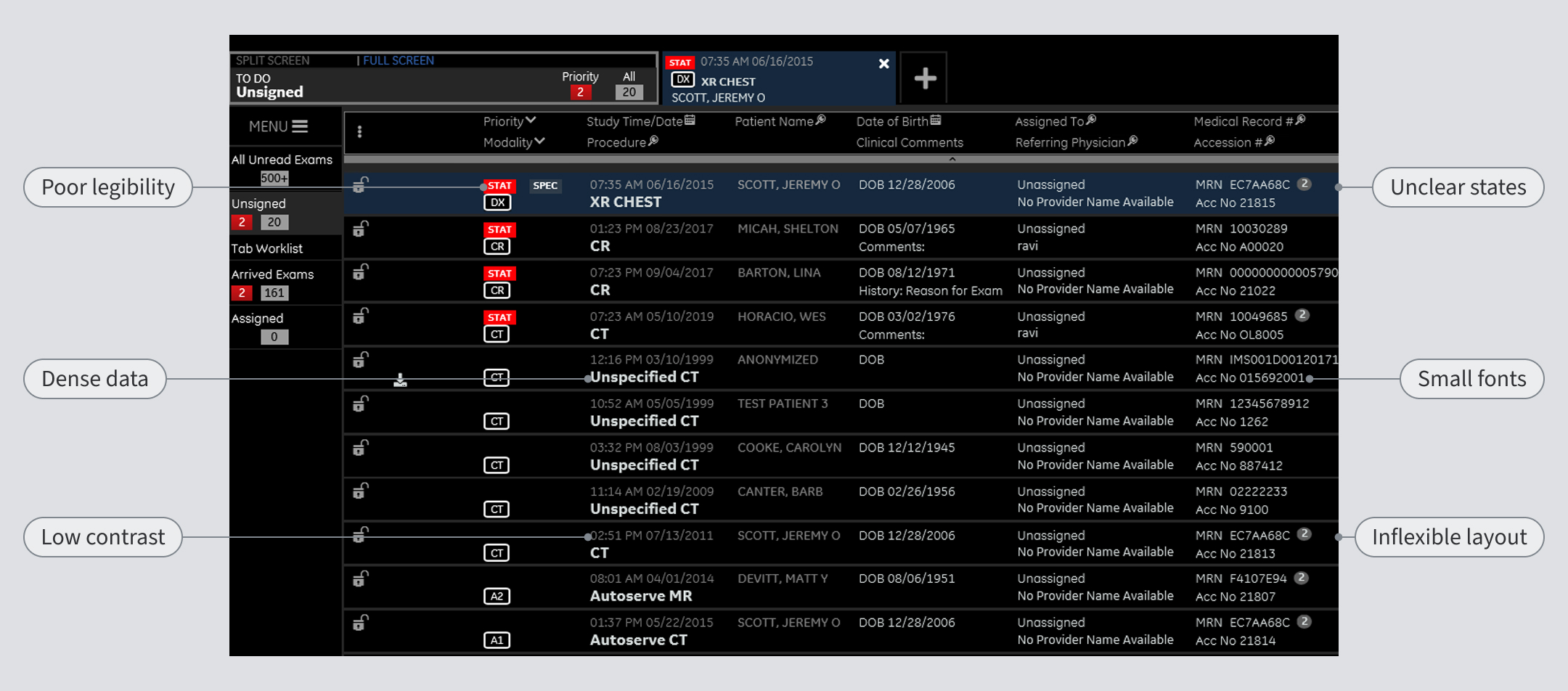
Radiologists needed a clearer, more flexible way to manage high volumes of imaging studies, but the existing worklist was dense, difficult to customize, and hard to read across different screen sizes. The redesign needed to improve usability and workflow efficiency while supporting design system adoption and FDA clearance.
User needs and pain points
- Small text and low contrast made dense clinical information harder to scan
- Rigid layouts did not adapt well to different screen sizes or workflow contexts
- Limited customization made it difficult for users to organize worklists around their needs
- Sorting, filtering, and saved views needed to support faster case management
- Patient-safety workflows required careful validation through usability testing
Project goals
The redesign focused on four core goals:
- Improve legibility and information hierarchy
- Create responsive, customizable worklists
- Balance user flexibility with consistent design standards
- Validate critical workflows and support FDA clearance
Understanding the workflow
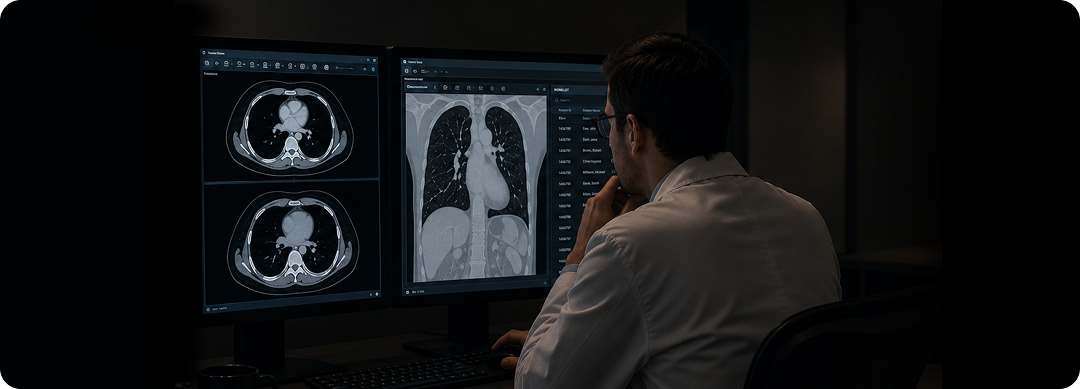
Before beginning the redesign, I observed radiologists working in real clinical environments. This gave me a deeper appreciation for their day-to-day workflows, including how they move between tasks, manage interruptions, and make decisions. These observations helped build empathy and uncover opportunities rooted in real user needs, rather than any particular feature or preconceived solution.
Redesigning the worklist
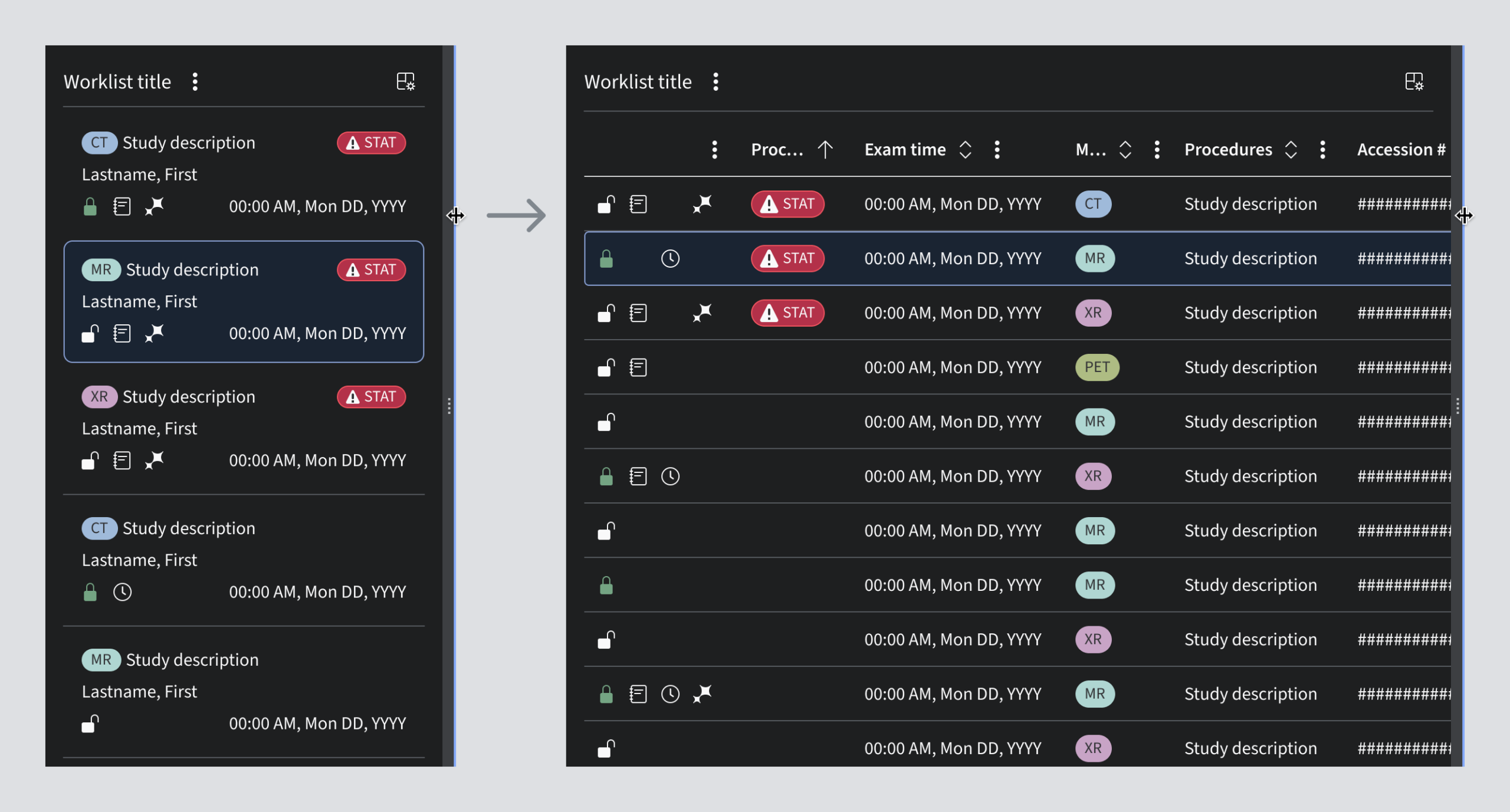
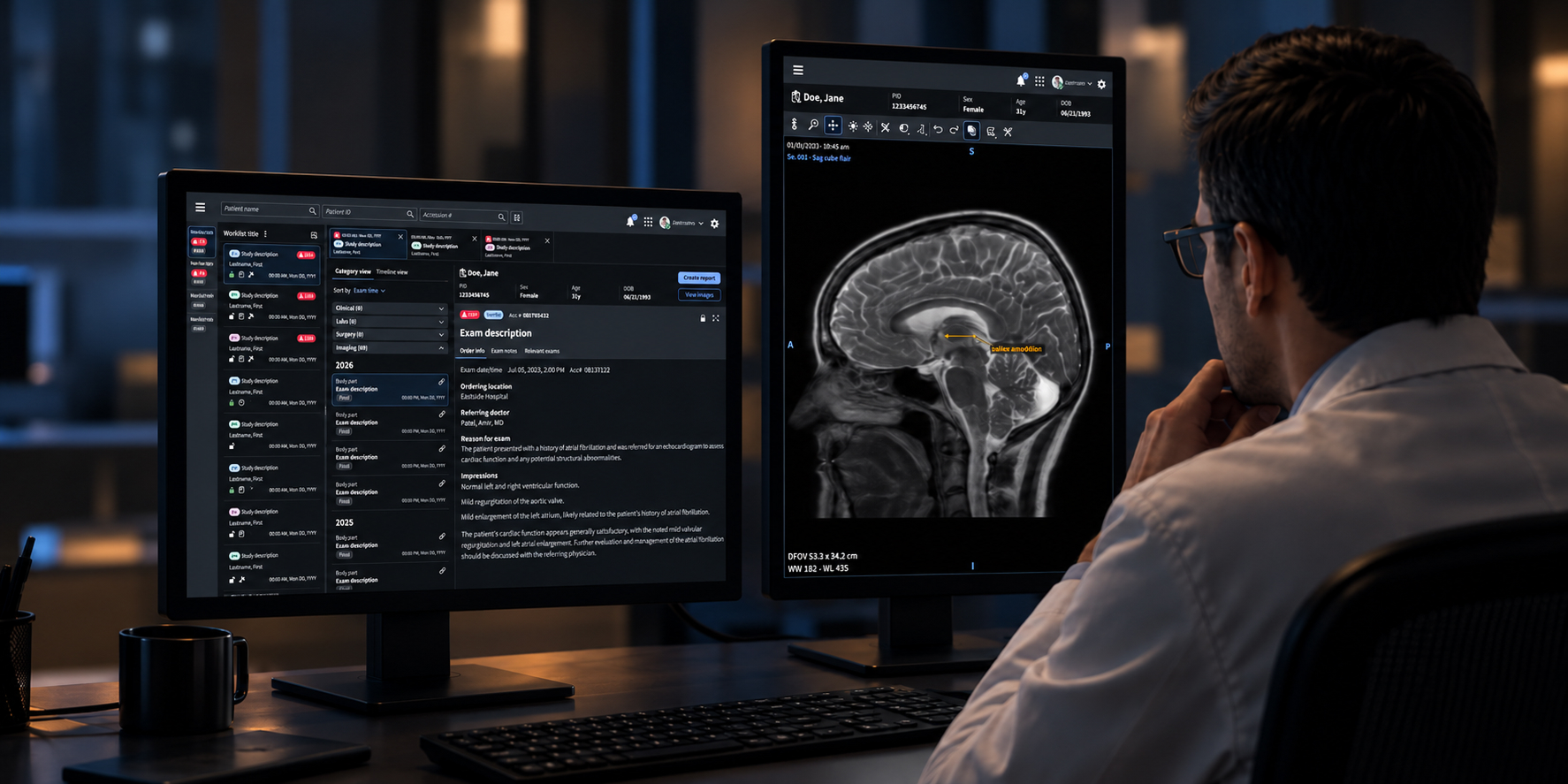
The worklist was the primary focus of the redesign. I explored responsive grid and card layouts that allowed information to remain useful across different screen sizes and layout configurations. Designs introduced clearer typography, improved contrast, more consistent spacing, and responsive behavior.
Supporting flexible workflows
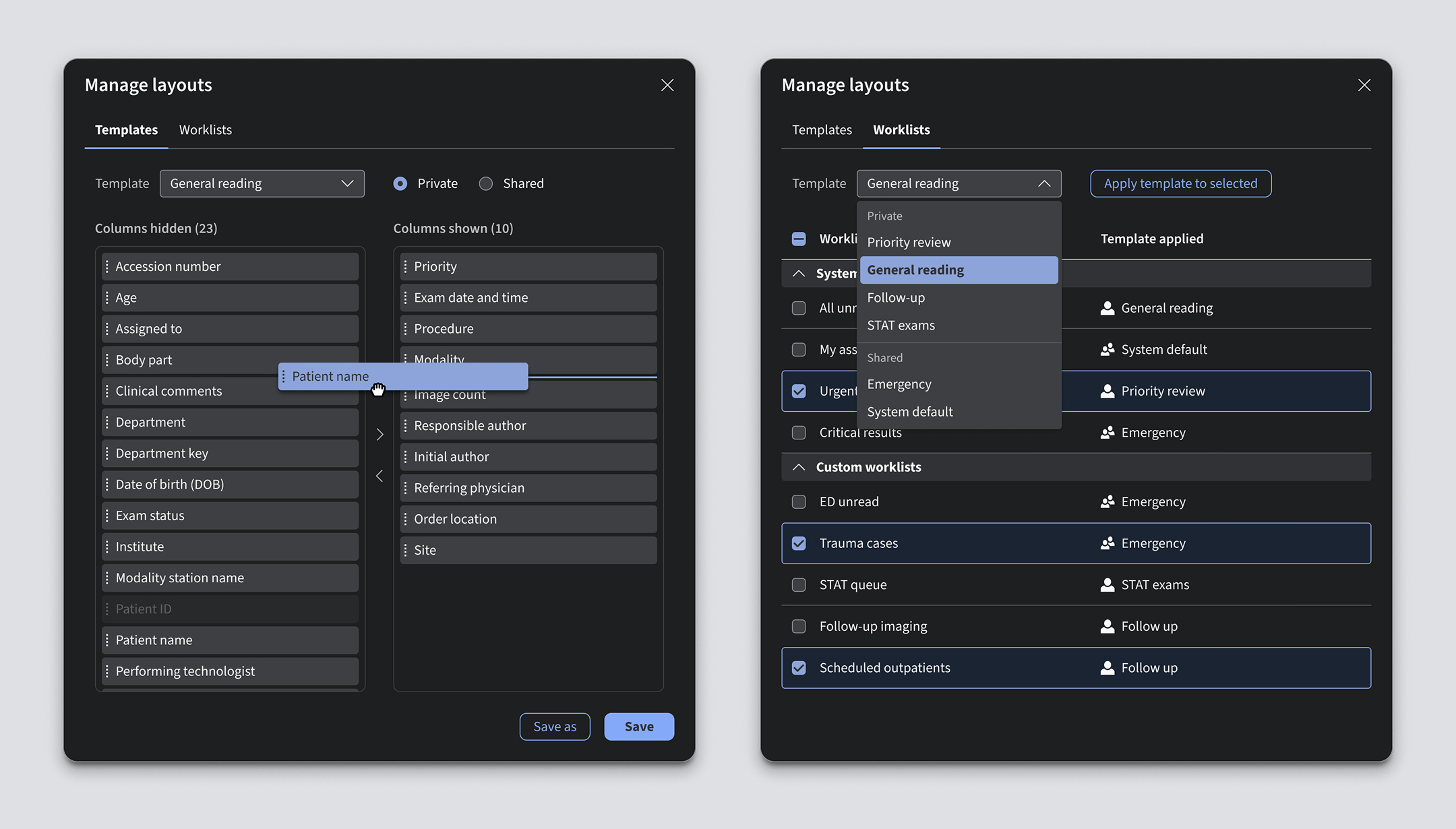
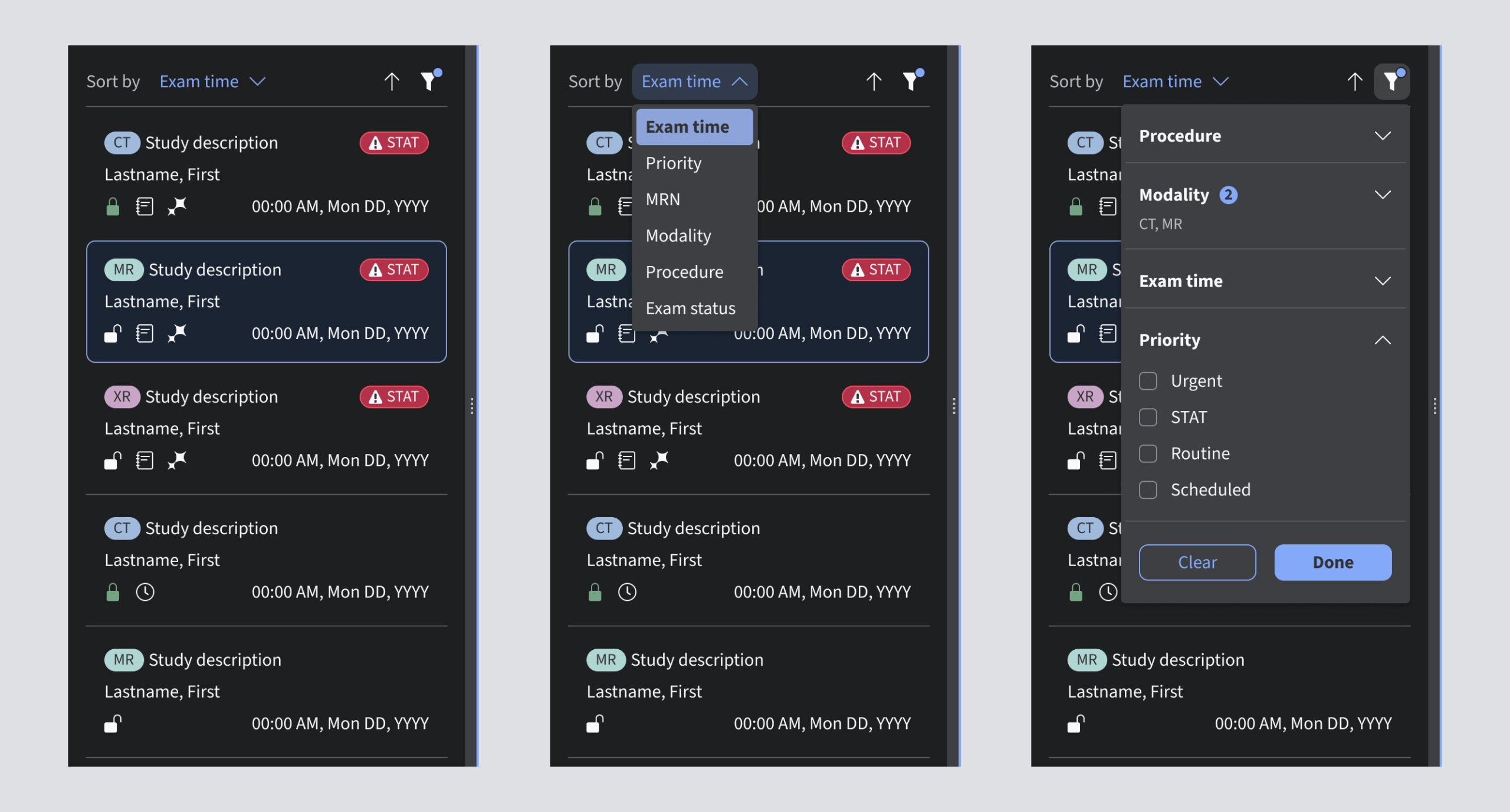
Radiologists have different preferences based on their specialty, environment, and daily responsibilities. I designed tools that allowed users to add, remove, resize, and reorder columns; apply advanced filters and sorting; and save layouts for reuse. Shared and personal layouts helped balance organizational consistency with individual control.
Extending the design system
Adopting the enterprise design system improved typography, contrast, interaction consistency, and accessibility across the product. However, the existing data-grid component did not fully support the complexity of a clinical worklist.
I partnered with product and design system teams to extend the data-grid component with responsive layouts, flexible sorting and filtering, and interaction patterns tailored to complex clinical workflows. These enhancements addressed immediate product needs while contributing reusable patterns to the enterprise design system.
Designing for patient safety
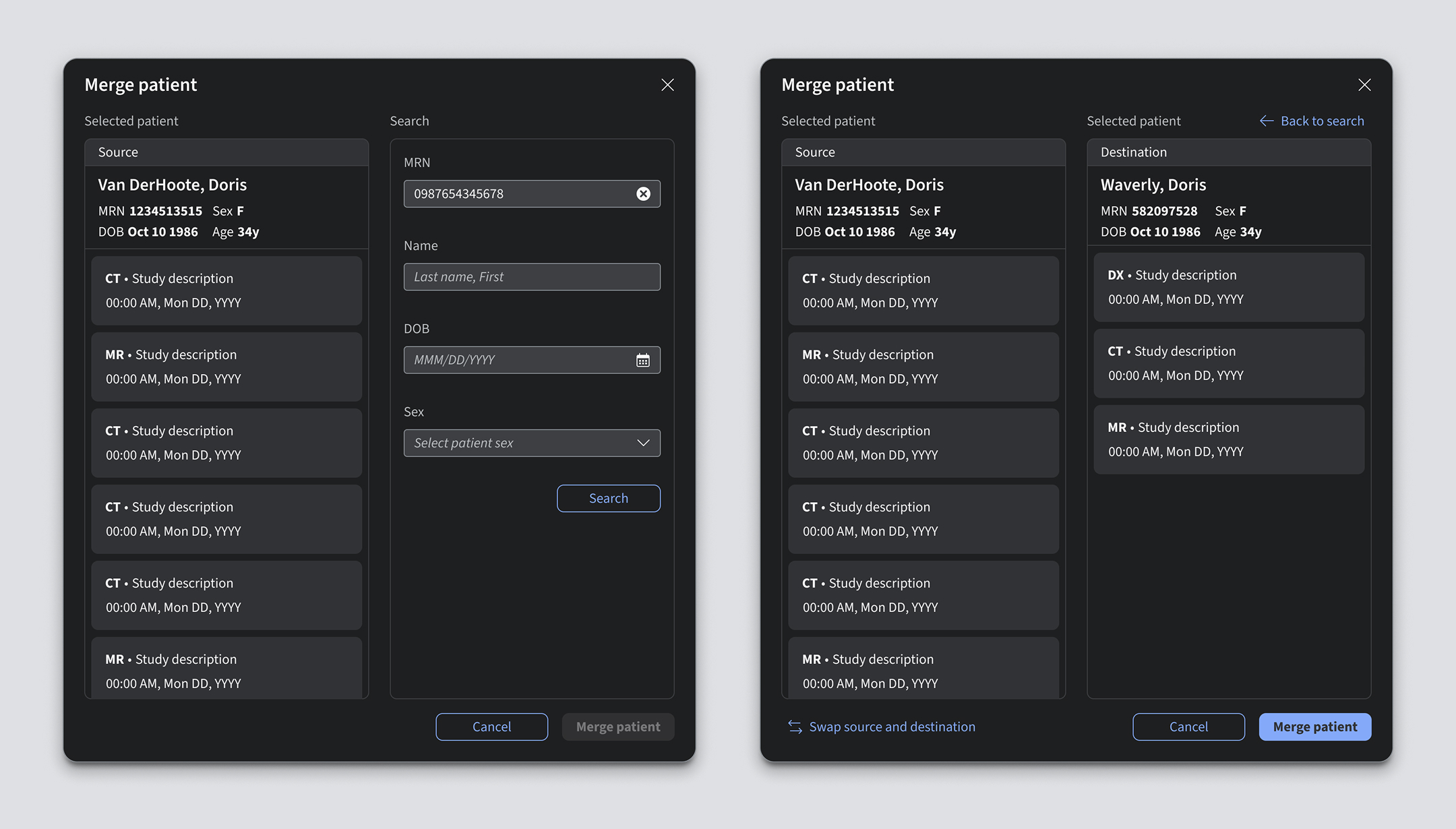
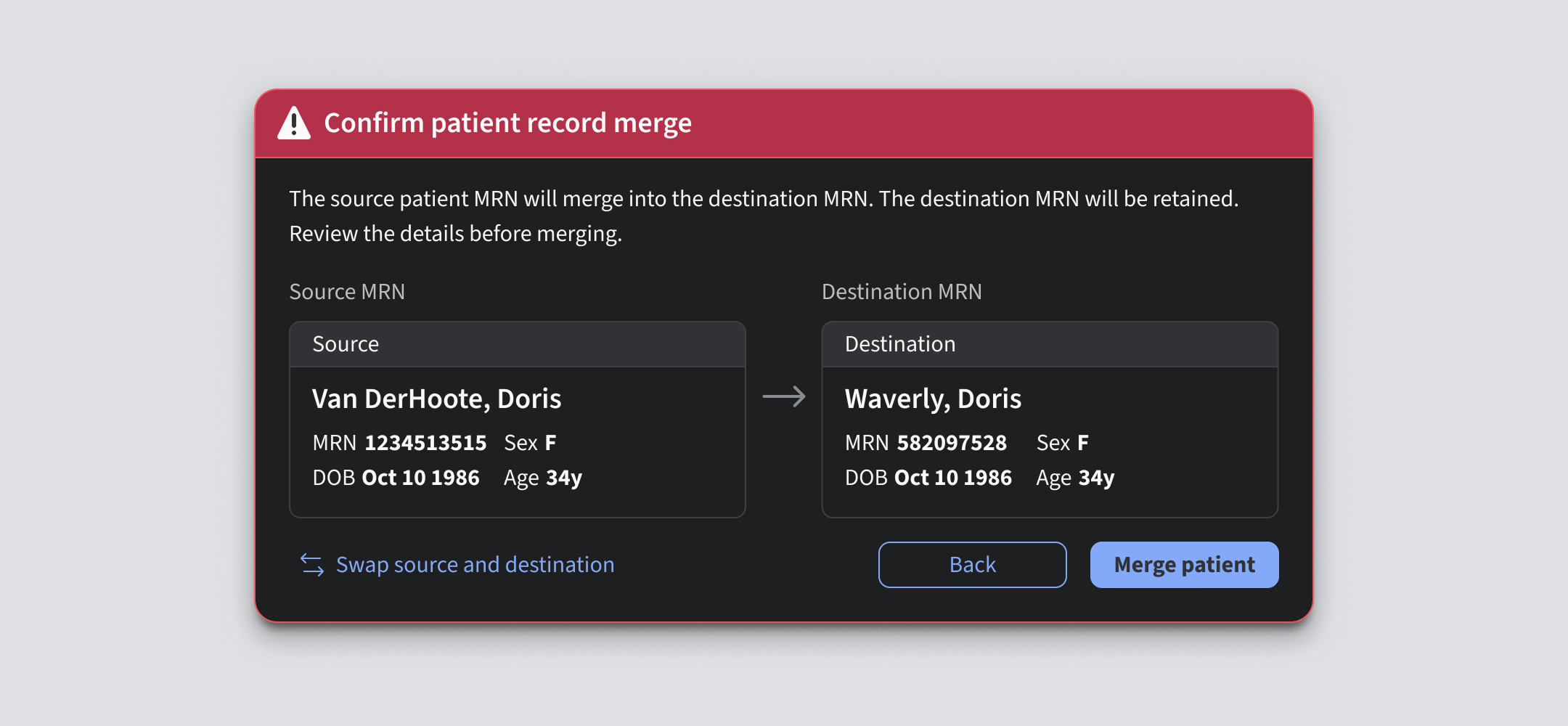
I also designed a new patient merge workflow for cases where records belonging to the same person appeared under different names or medical record numbers. Because merging the wrong patients could have serious consequences, the workflow needed to make the source and destination records unmistakable. The design emphasized clear confirmation and opportunities to review information before completing the merge.
Regulatory testing
I worked closely with UX research and regulatory partners throughout formative and summative usability testing. We evaluated core worklist interactions and safety-critical tasks, including layout customization, system notifications, and patient merge.
Testing findings informed refinements to terminology, navigation, feedback, and confirmation states. I also supported protocol development, success criteria, risk analysis, and the resolution of findings required for release.
Solution
The redesigned worklist improved legibility, responsiveness, and customization, giving radiologists greater control over how they organize and manage imaging studies. Consistent design system patterns streamlined interactions, while validated safety-critical workflows supported clinical usability and regulatory requirements.
Impact

Regulatory readiness
Supported usability validation and the product’s first FDA clearance.

Improved clinical usability
Improved clarity and flexibility across radiology workflows.

Design system expansion
Extended shared worklist patterns for use across products.