
Medical Media Manager App
Overview
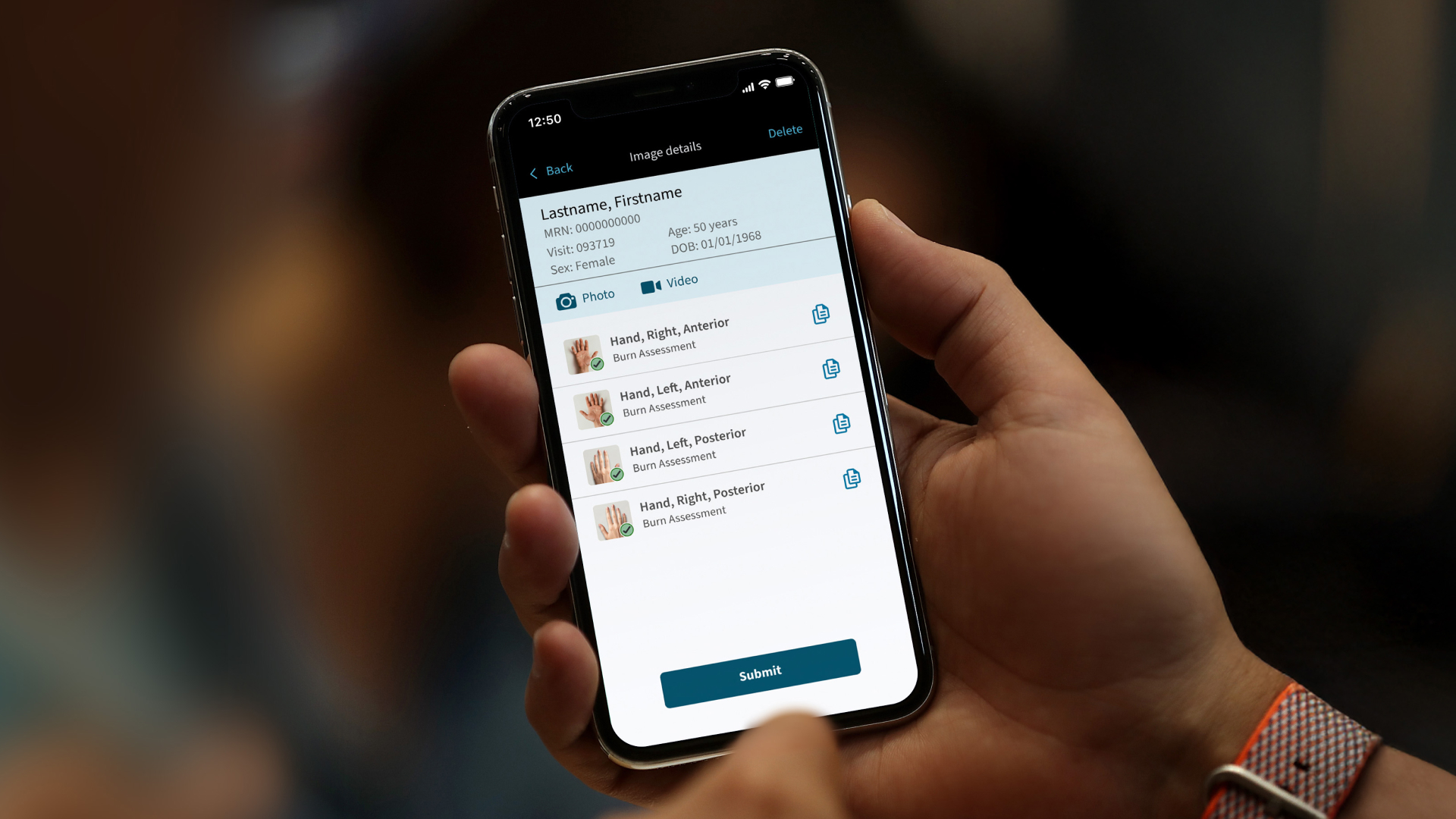
Media Manager is a mobile application designed to support clinical photo and video capture for conditions such as wounds, burns, and neurological assessments. The work focused on improving how clinicians capture, annotate, and store medical media directly within the patient record. The project addressed inefficiencies in existing workflows and emphasized speed, clarity, and reliability in fast-paced clinical environments.
My role
Conducted a heuristic evaluation of the existing experience, delivered targeted visual and interaction design improvements, and supported hospital rollout, working directly with clinicians during early adoption to gather feedback and ensure the design performed effectively in real clinical conditions.
The challenge
Problem statement
Clinicians needed a fast, reliable way to capture and document medical photos and videos during rounds, but existing workflows were cumbersome and error-prone. Images were often taken with standalone cameras and uploaded later, increasing the risk of lost media and incomplete patient records. The solution needed to work in distracted, time-constrained environments where accuracy mattered.
User needs and pain points
- Quick access to patient records while rounding
- Reliable media capture tied directly to the patient record
- Large, touch-friendly interactions
- Minimal manual data entry
- Confidence that images were saved correctly
Project goals
The goal was to streamline clinical media capture while reducing friction and documentation gaps.
- Simplify photo and video capture during rounds
- Reduce time spent organizing and uploading media
- Improve touch accessibility for fast-paced use
- Ensure media is reliably saved to patient records
- Support real-world clinical workflows
Process
Defining the problem
Research with clinicians showed that medical media capture (e.g., burns or wounds) relies on separate devices, delayed uploads, and manual charting, increasing cognitive load and the risk of incomplete information.
Heuristic evaluation
- Touch targets were too small for mobile use and the clinical environment.
- Redundant navigation: three different buttons led to the same destination.
- Search lacked barcode scanning support, allowing only manual entry from the wristband.
- Key functions were buried in headers and menus, increasing reliance on memory.
- The keyboard opened unnecessarily and blocked the primary action, forcing users to dismiss it before confirming.
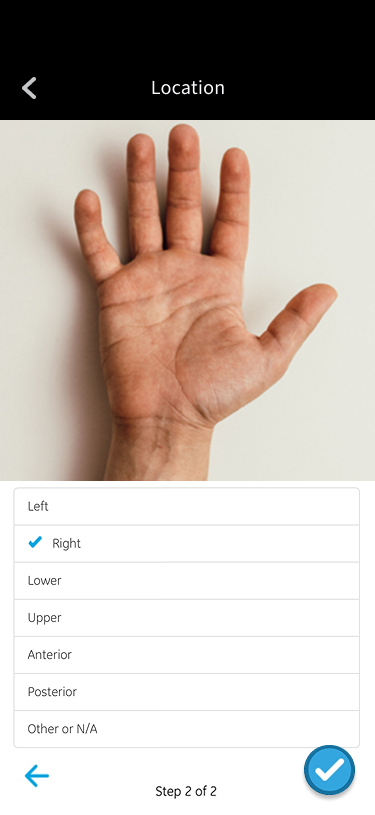
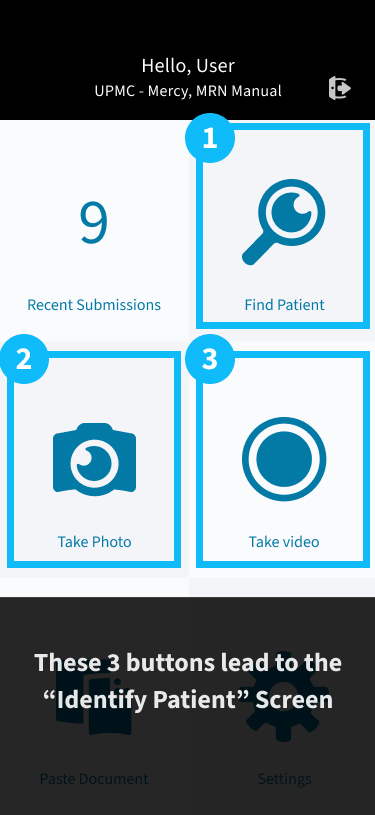
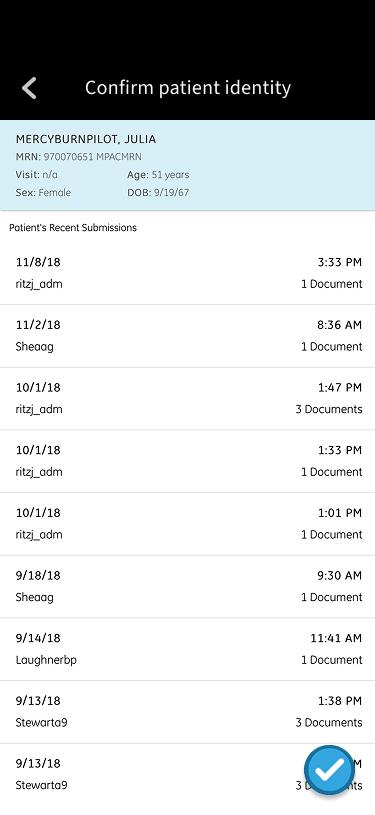
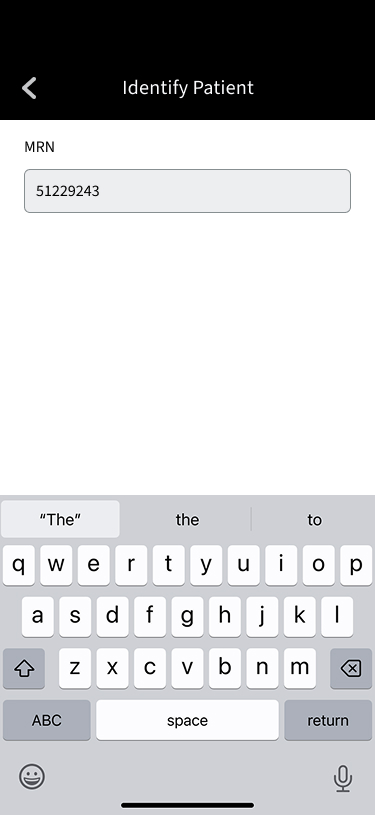
A heuristic evaluation of the existing solution revealed several usability gaps and opportunities for quick improvement.
Refinements
Fundamental improvements
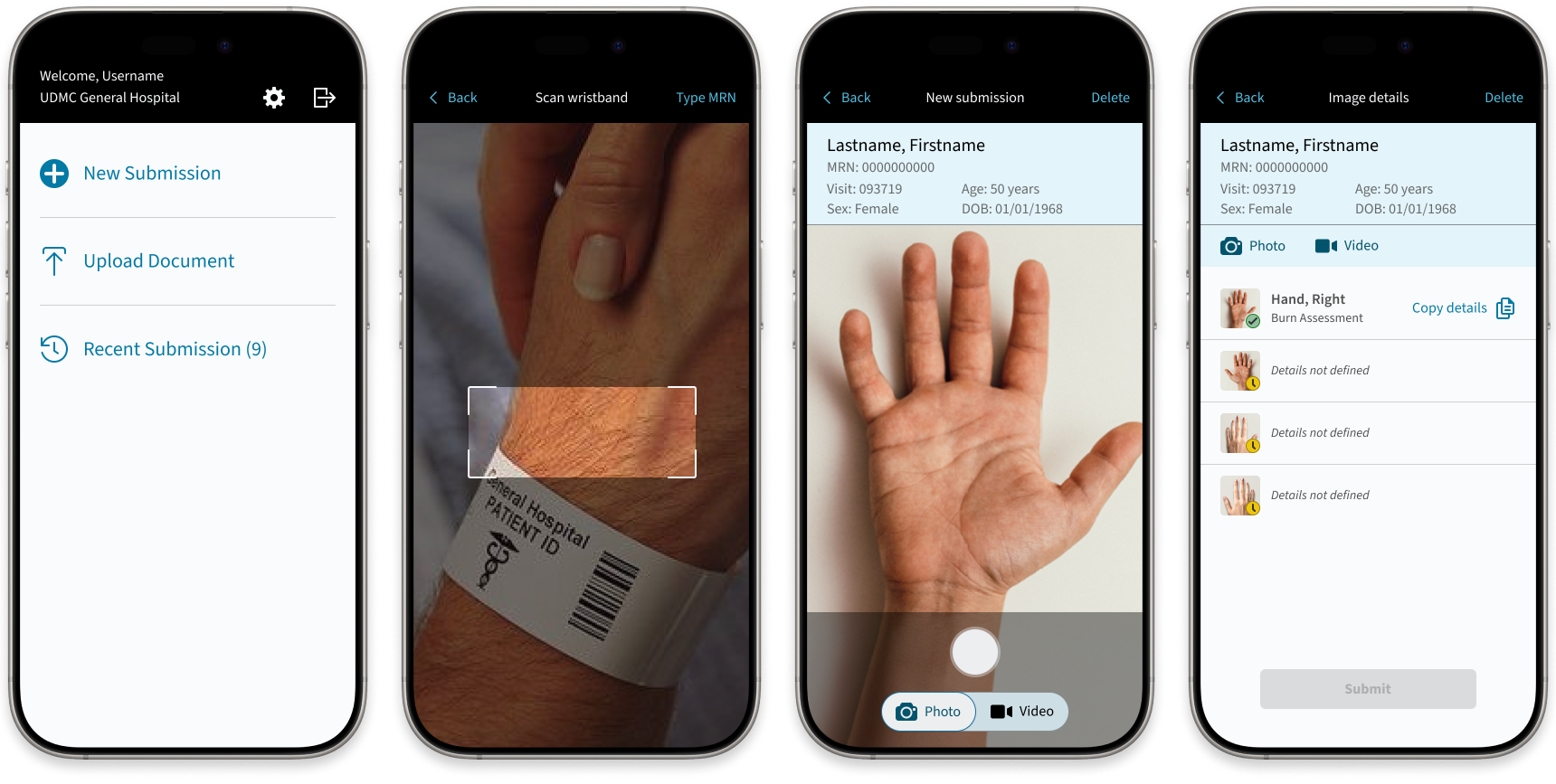
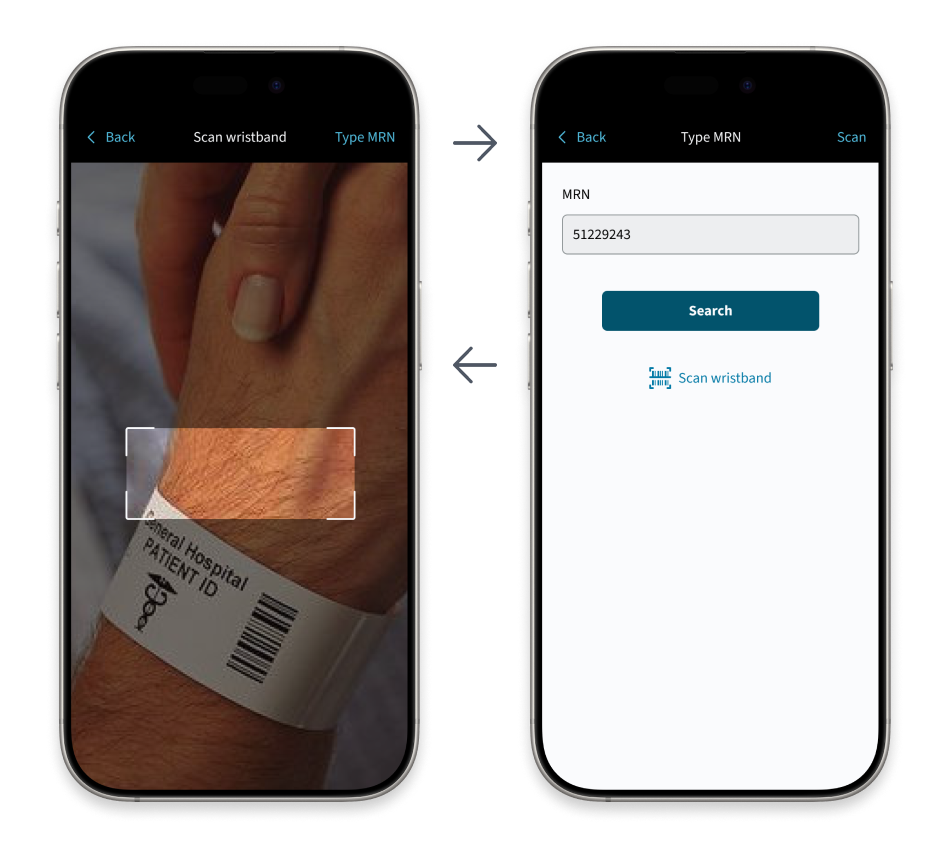
Finding patient records quickly was critical, leading to the introduction of wristband barcode scanning with a simple fallback to manual search when scanning wasn’t possible. Primary actions were surfaced with larger hit targets, and menus were restructured to prioritize the most common tasks.
New workflow features
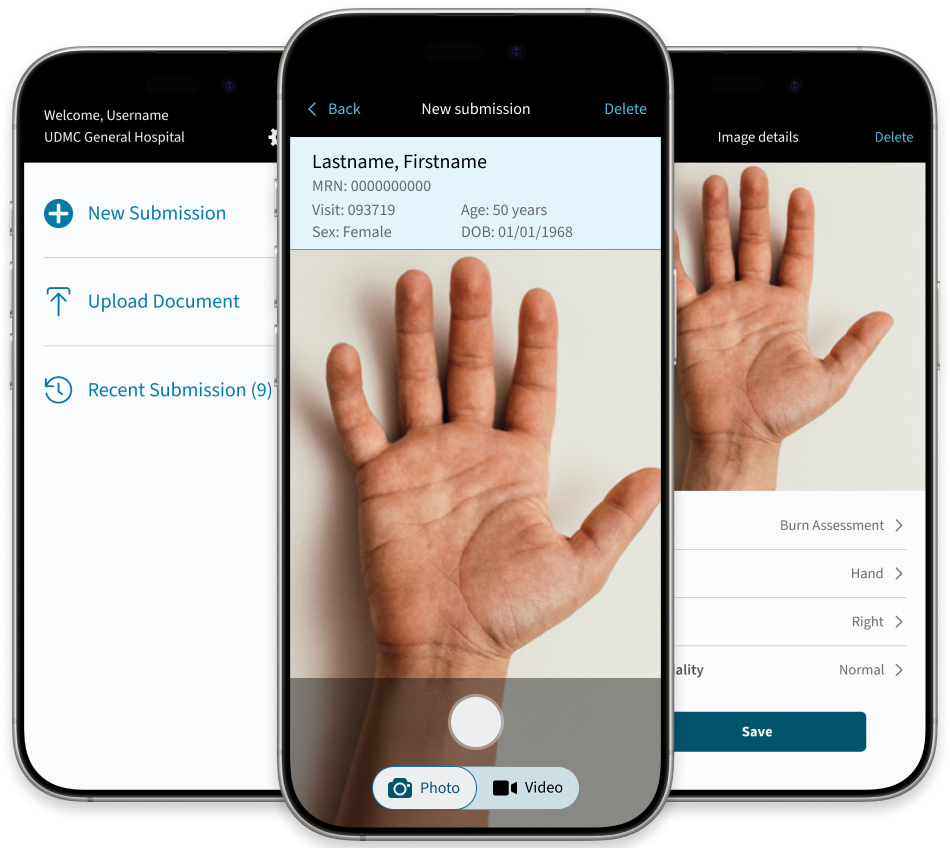
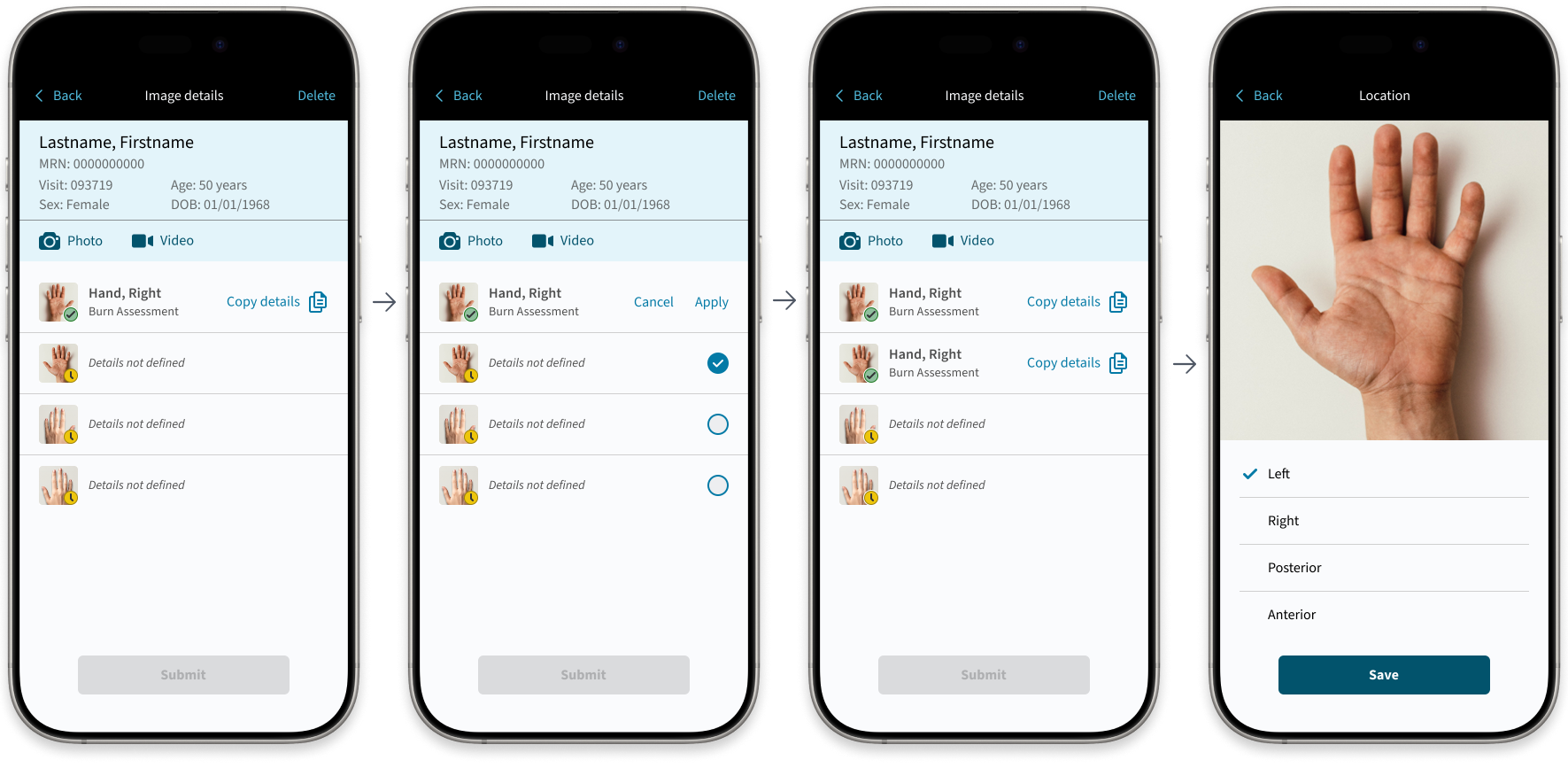
Image submission flows were simplified to reduce steps and prevent missed details. A new “copy/paste image attributes” feature lets clinicians transfer metadata from one image to many, saving time while maintaining accuracy. Because clinicians often capture sets of images with similar metadata and only minor tweaks, the feature supports their natural workflow. Editing details remains easily accessible whenever adjustments are needed.
Solution
A streamlined medical media application that enables clinicians to capture, annotate, and store clinical images quickly and reliably within the patient record. The product was rolled out as a test pilot in a hospital burn unit and users were able to quickly take and upload images and enter details while rounding. Results included workflow efficiency and improved patient care with plans to extend the application to other departments.
Impact

Workflow efficiency
One application streamlines media capture and documentation, reducing steps and charting time.

Improved patient care
Less time spent charting allows for more focused time at the bedside with the patient.

Growth potential
A scalable solution with plans to expand across additional departments.