
Radiology Mobile App
Overview
This project explored how clinicians use mobile devices to review imaging when away from their primary workstation. While mobile is not used for primary diagnosis, it plays a critical role in supporting decisions during rounds, on-call situations, and consultations. The work focused on understanding user needs, validating use cases, and designing a mobile experience that prioritizes speed, clarity, and relevance.
My role
Led end‑to‑end discovery research, from protocol development and study execution to synthesis of insights, and owned design from early concept exploration through final UX/UI and implementation support.
The challenge
Problem statement
Clinicians were frequently asked to review imaging while away from their desktop workstation, but existing mobile experiences did not adequately support search, context, or efficient access to relevant exams. Mobile workflows needed to complement desktop workflows, while supporting fast, informed decision-making on the go.
User needs and pain points
- Quick access to the most relevant imaging
- Search optimized to support clinical behaviors
- Ability to review patient history without excessive navigation
- A lightweight experience that respected time constraints

Project goals
The goal was to validate the need for a mobile imaging experience and design workflows that support real-world clinical use.
- Understand mobile-specific imaging workflows
- Validate priority use cases through research
- Improve search and navigation to relevant exams
- Support decision-making without overloading the interface
- Deliver a tested, implementation-ready design
Process
Defining the problem

A collaborative Jobs To Be Done exercise was used to identify priority needs for the initial design and testing phase. For example:
- When clinicians are rounding or on call and away from their traditional workstation…
- …they need to be able to review imaging when they are not at a computer…
- …so they can determine their next steps such as coming into the office or giving a consult to a colleague.
Design ideation
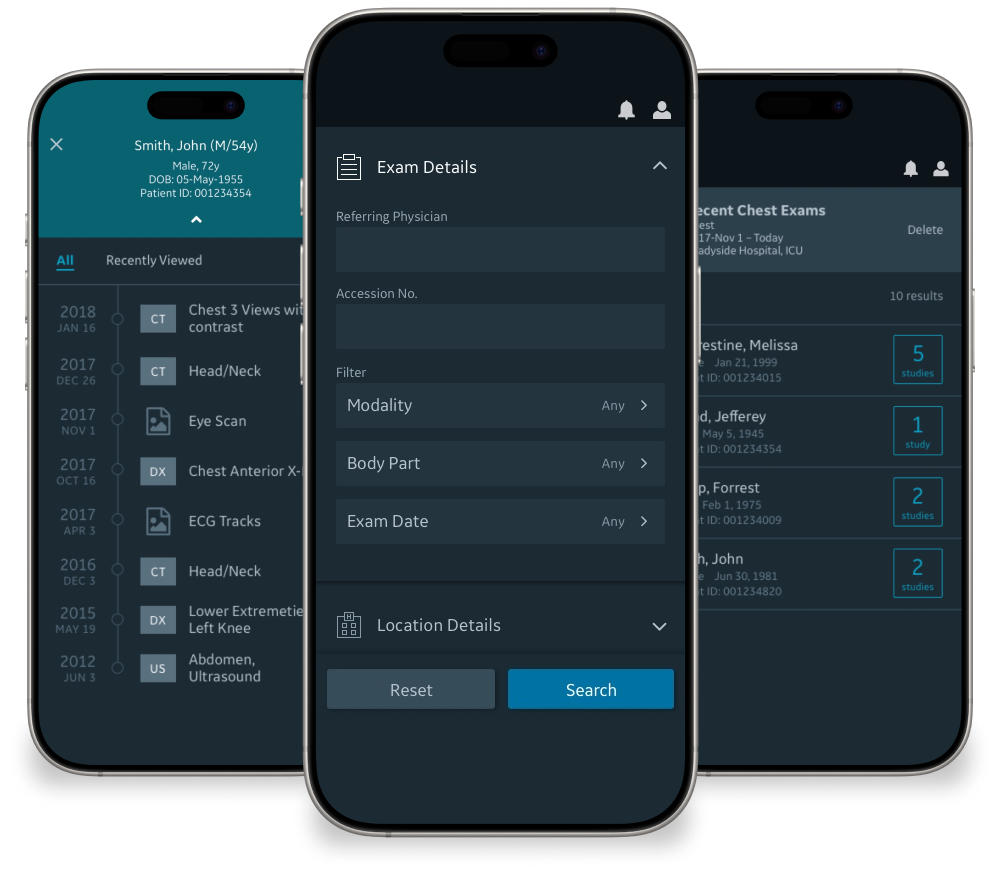
The existing app already supported basic image viewing, so exploration focused on workflows surrounding search and access to relevant patient data. Early-stage designs explored multiple approaches to search, scheduling concepts, results organization, and patient context.
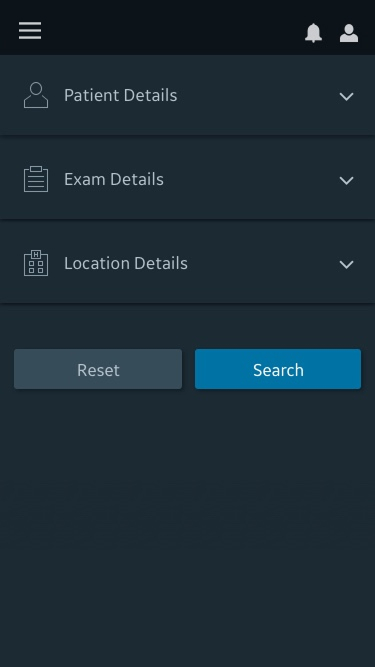
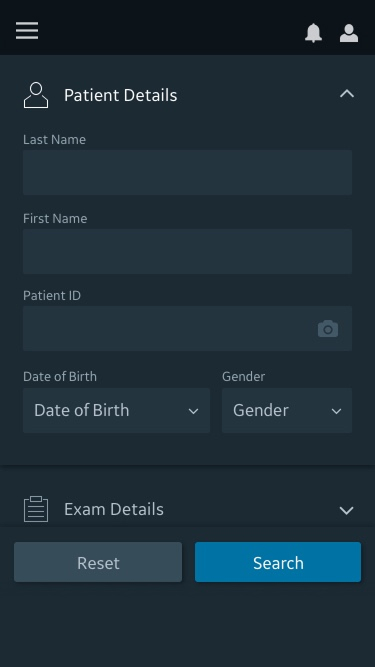
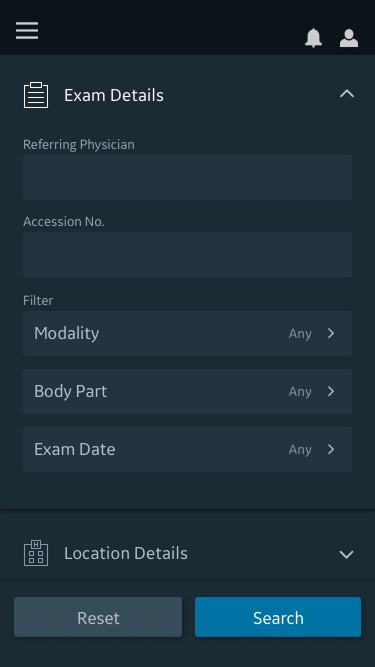
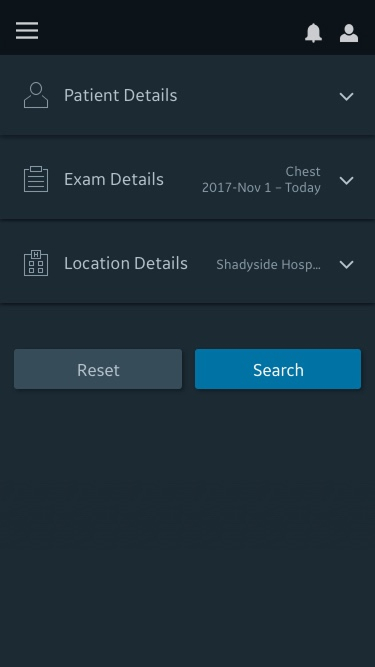
Search concepts
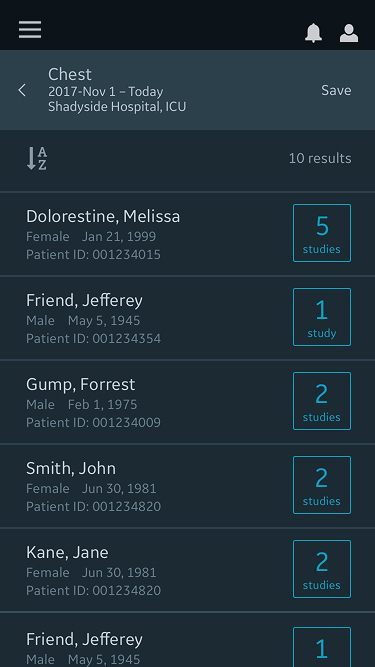
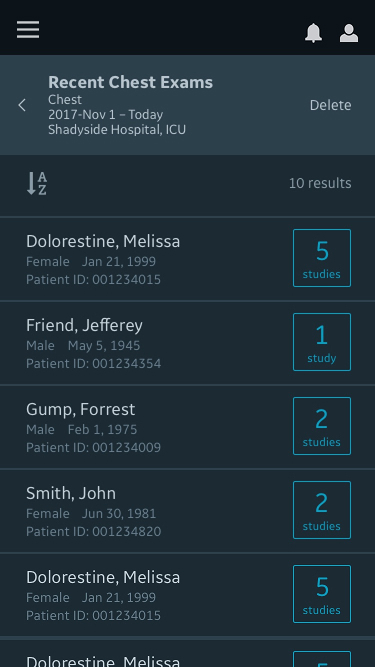
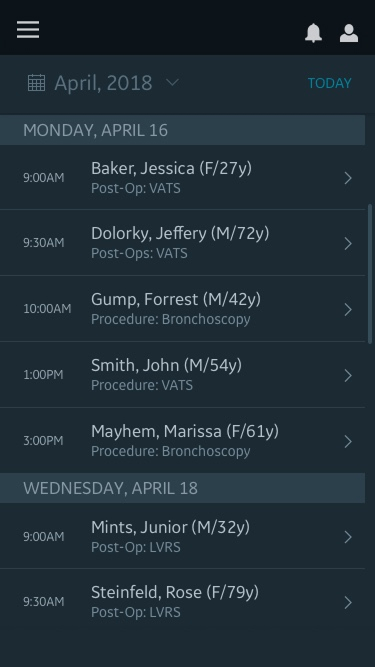
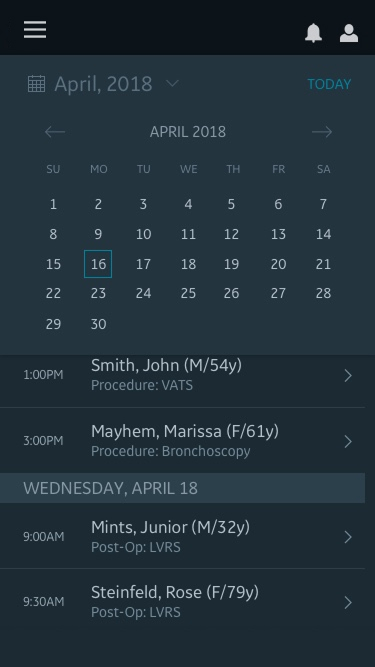
Search results and scheduled patients concepts
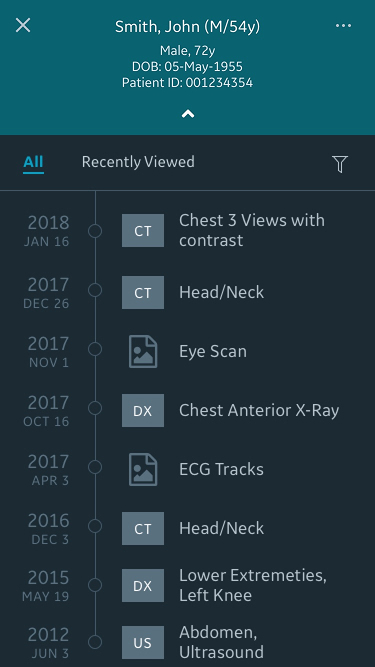
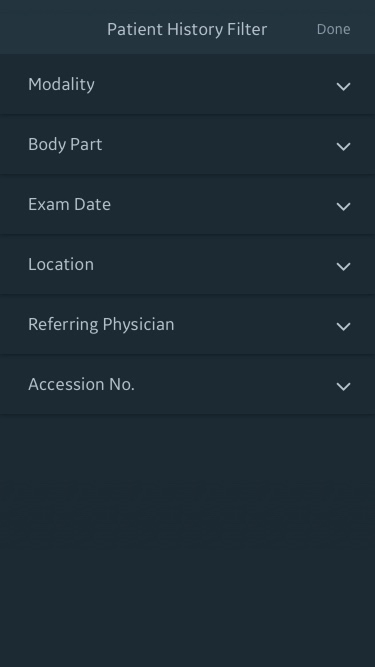
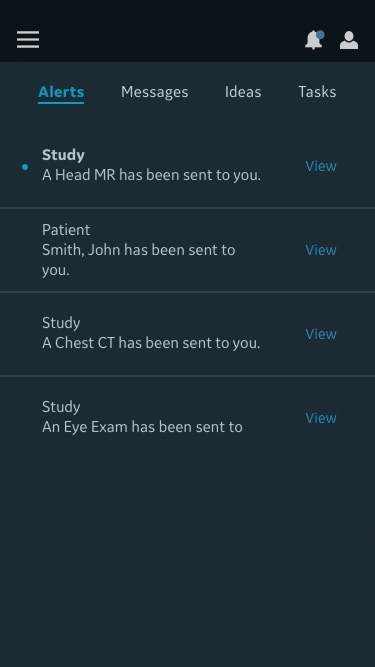
Patient info and imaging history concepts
Research
Conducted 10 in-person research sessions with clinicians, using a clickable mobile prototype to facilitate task-based testing and discovery research.
Purpose
- Understand the need for a mobile imaging application
- Learn how clinicians search for and review imaging when away from desktop workstation
Refinements
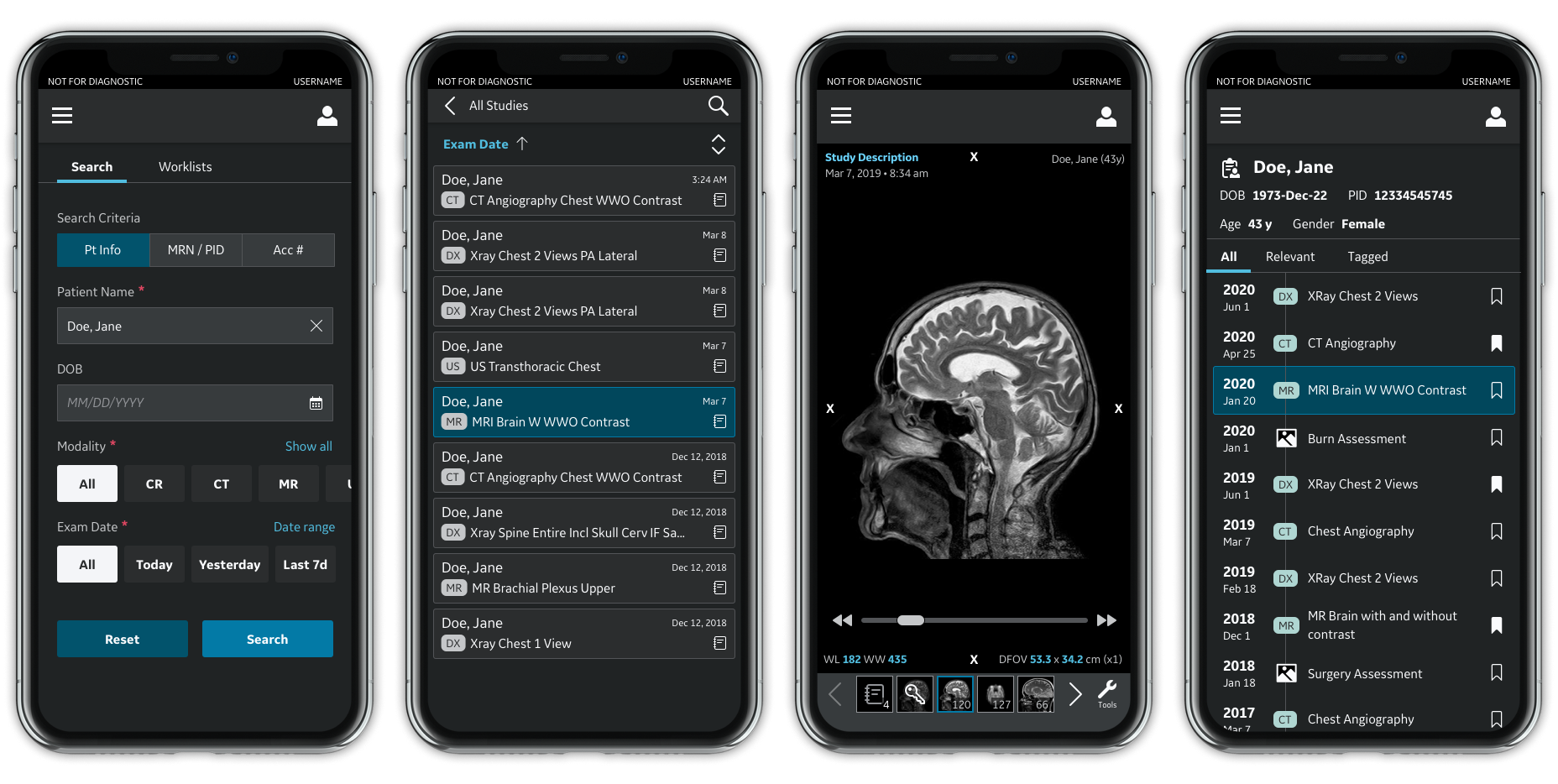
Search
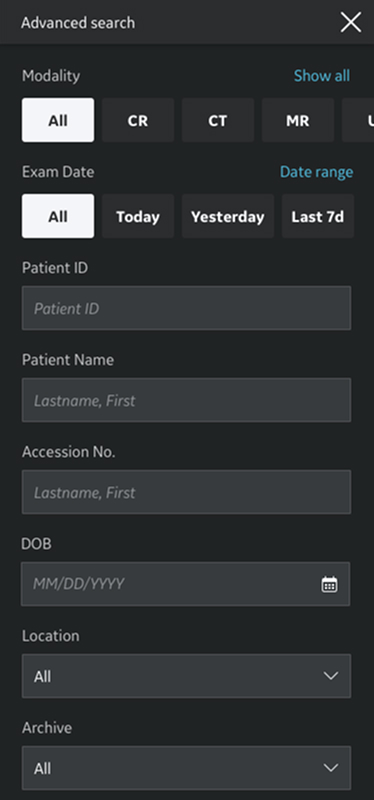
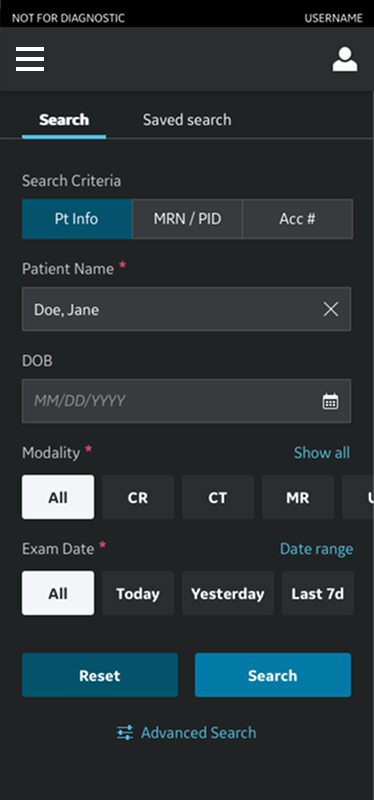
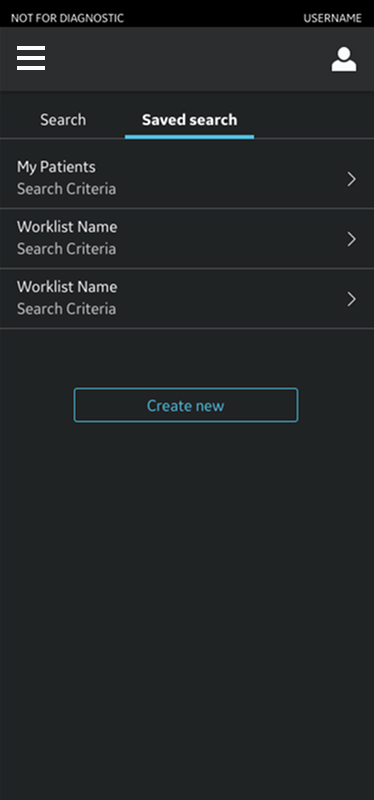
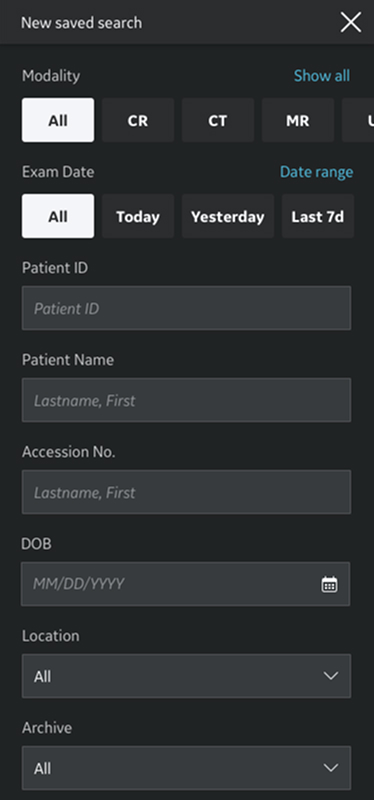
Clinicians searched by patient name and date of birth nearly all the time. Designs were refined to optimize for these primary attributes while still supporting advanced criteria. A proposed schedule feature proved unnecessary. Saved searches and the ability to create them from advanced criteria delivered far more value.
Results
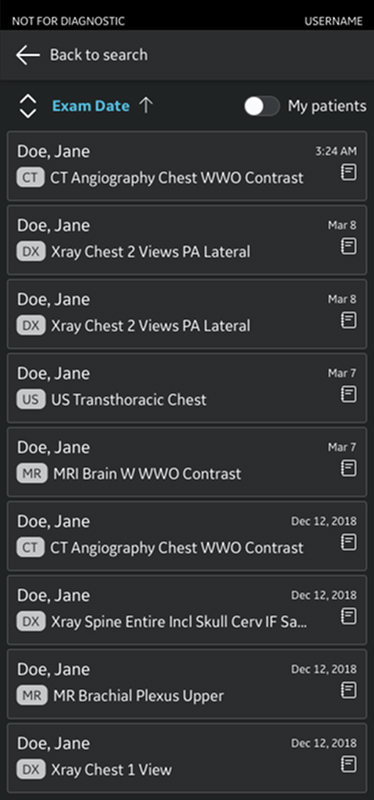
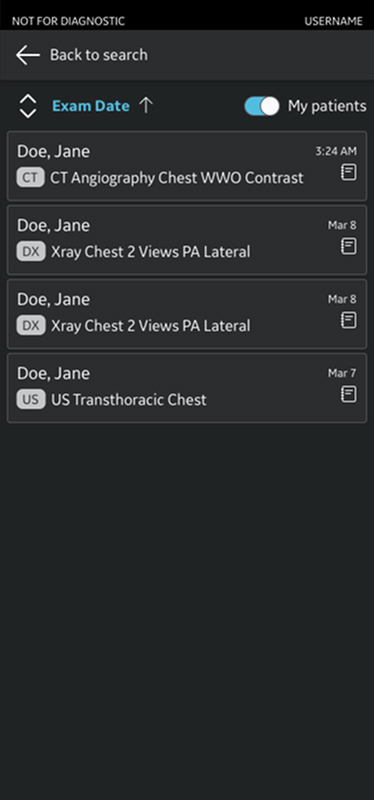
Results shifted from patient-based grouping to exam-based results to reflect how clinicians actually locate imaging, by seeking the most recent exam. A toggle was introduced to quickly filter results to a clinician’s own patients, balancing visibility with relevance.
Viewer, reports and patient history
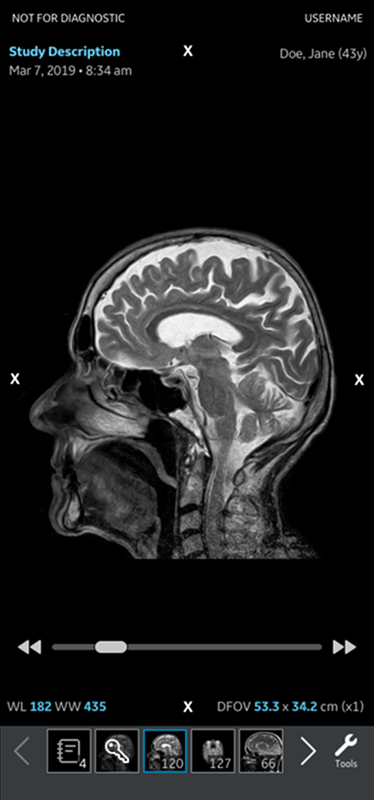
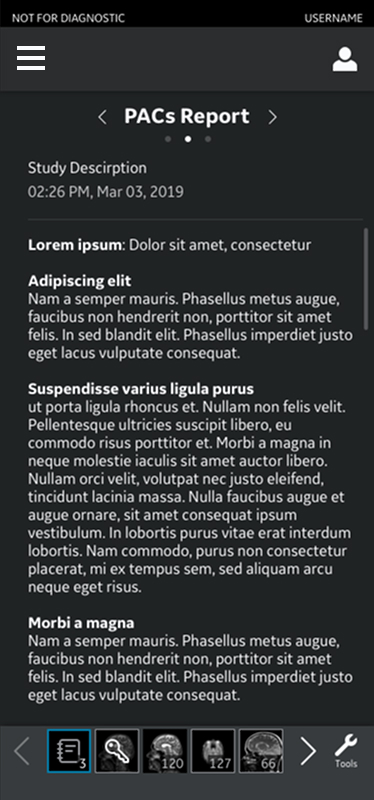
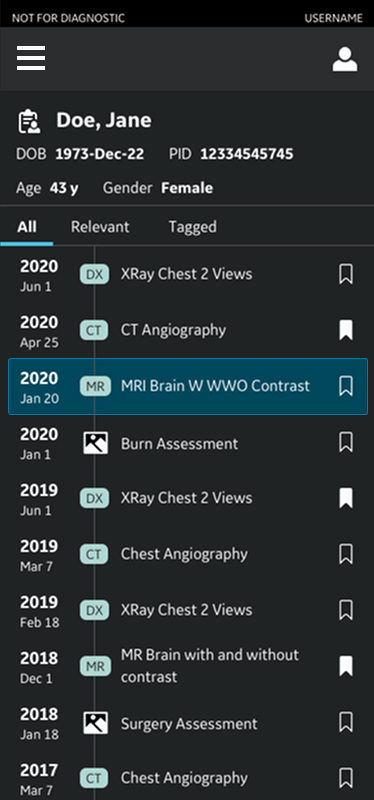
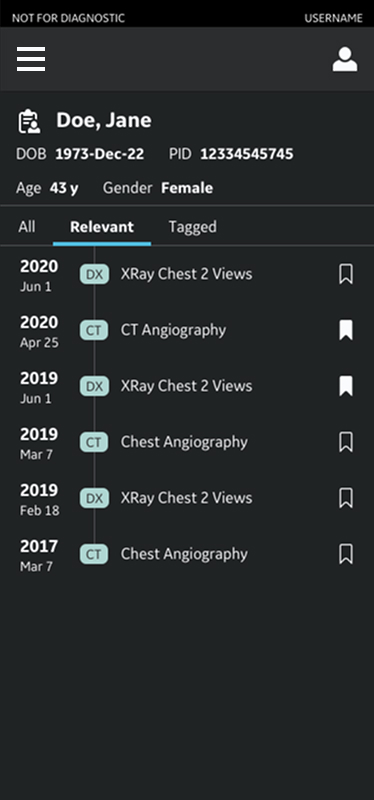
Image and report viewers were refined for consistency, improved readability, and easier access to multiple reports. The patient timeline emerged as a standout feature, allowing clinicians to view imaging history and related exams without returning to search results.
Solution
A mobile radiology experience designed to support fast, informed decision-making by prioritizing search clarity, exam-focused results, and seamless access to patient imaging history. The final design balances simplicity with flexibility, supporting mobile use as a companion to, not a replacement for, desktop diagnosis.
Impact

Established mobile use cases
Research confirmed mobile imaging as a meaningful support tool in clinical workflows.

Met real user needs
Search, results, and navigation were shaped directly by clinician input and observed patterns.

Guided execution
Final designs delivered with clear guidance and close product and engineering collaboration.